
I've Been Using Google's NotebookLM Daily, and Here's How I Turn Ideas Into Real Outputs
Learn how I’m using the latest NotebookLM features to turn raw content into real outputs, and how this fits into my actual writing and thinking workflow.


You know, I’ve already written about how NotebookLM changed the way I learn and think.
But in the last month, it quietly crossed a line.
Well, the NotebookLM team has integrated Nano Banana Pro, which further improves the way we work and brings many new use cases, and workflows.
Because of this, for me, it stopped being just a really smart research assistant and started behaving like a complete content system.
I’m not talking about answering questions, but actually producing things I used to open four or five different tools for.
Infographics
Slide decks
Structured briefs
Teaching material
Visual summaries I can publish or reuse
Even now, most people still think NotebookLM is only for asking questions about PDFs.
So in this post, I want to show you how I’m using the latest NotebookLM features to turn raw content into real outputs, and how this fits into my actual writing and thinking workflow.
Note: If you found value here or learned something new, consider becoming a paid subscriber to this newsletter. It’s the best way to support my work and keep this kind of content coming. And each week, you’ll get practical AI guides that save hours and help you move faster than everyone else.
With that said, let’s get started.
1. Turning messy research into publishable infographics
I think this is the biggest upgrade most people are sleeping on, and most of us are not actually using it the way it can be used.
We all know that NotebookLM can generate video and audio overviews, quizzes, reports, and mind maps, since everyone is already writing about that.
But now, NotebookLM has also become insanely good at structuring information visually, if you prompt it the right way.
Here’s my exact workflow.
First, I upload multiple sources inside a specific notebook:
Blog drafts
Research notes
Old newsletters
And more
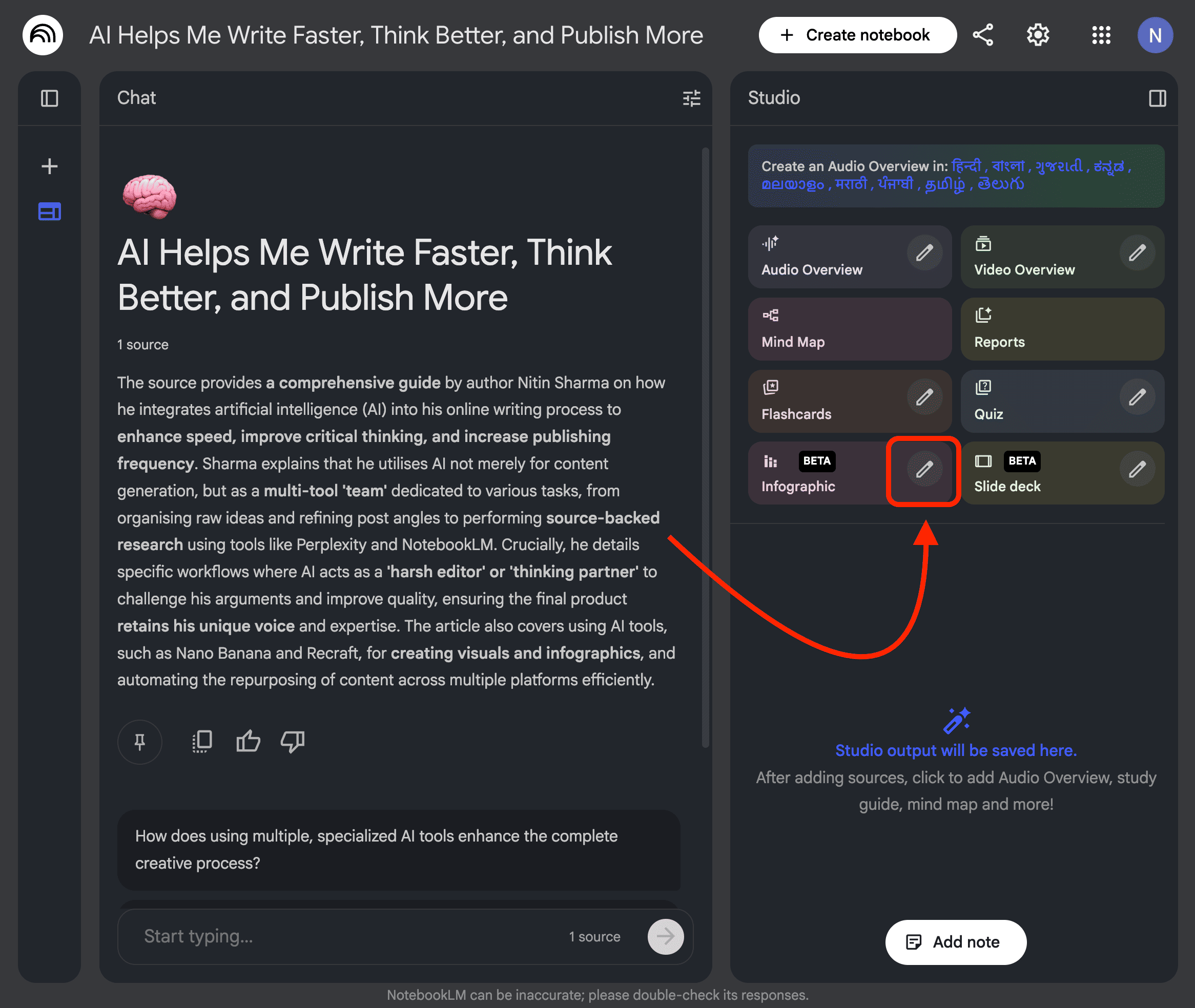
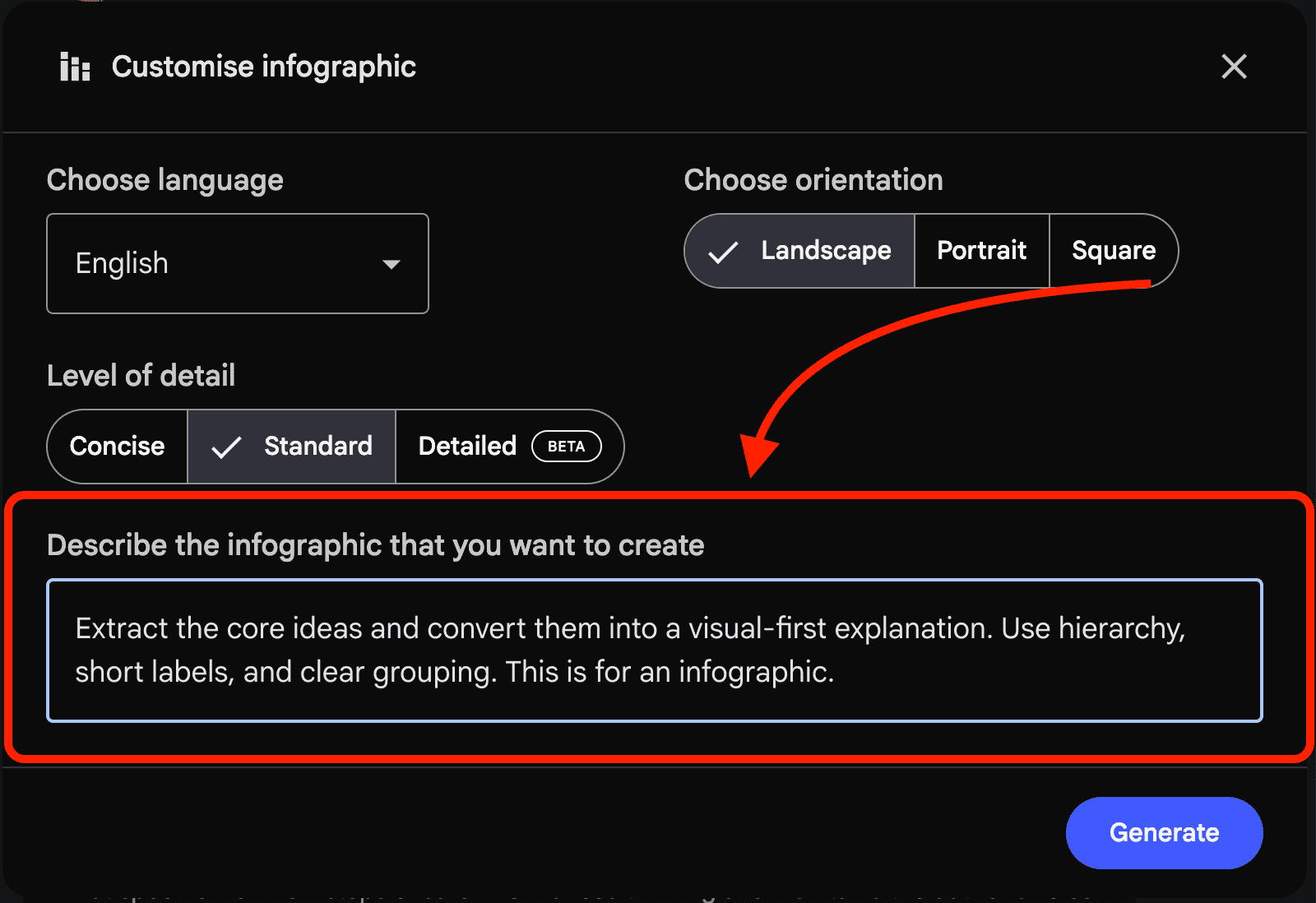
Then I click the edit icon to customize the infographic like the way I want to generate with a prompt like this: “Extract the core ideas and convert them into a visual-first explanation. Use hierarchy, short labels, and clear grouping. This is for an infographic”.
And then it gives me the infographic exactly the way I want.
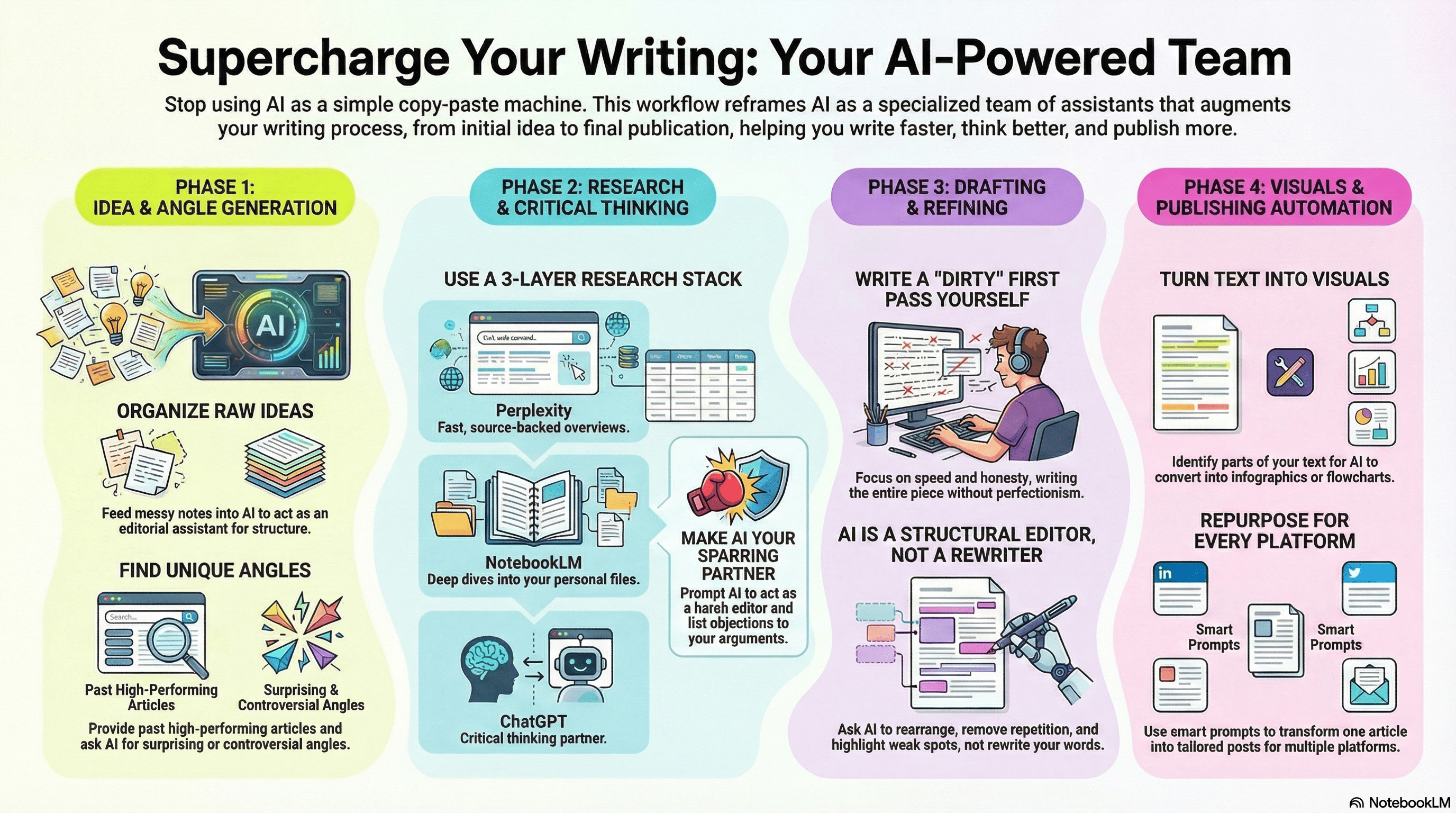
You see, I uploaded my article, and NotebookLM generated an informative infographic based on it. This alone cut my visual content creation time by more than half.
Just so you know:
Everything I’ve shared here is something I actually use.
If this post changed how you think about NotebookLM even a little, that didn’t happen in isolation. It came from a much bigger shift in how I use AI overall.
That’s why I put that entire system down inside “The (Unfair) AI Workflow Bundle” with everything you need.
It’s the exact set of workflows I use daily to run my work faster than feels normal, and if you apply even a few of them, you’ll save hundreds of hours.
If you want to speed up your own process, you can check it out here.
2. Turning posts and research into slide decks automatically
This one surprised me a lot to be honest.
And after seeing the outputs, I need to say NotebookLM is way better at slide logic than most people expect.
Here’s how I use it: Whenever I want to repurpose a post into slides, create a presentation from research, or teach something step-by-step, I simply go with NotebookLM, and generate a slide deck.
And here’s what it generates:


You see, the above slides are actually informative like an expert has made it with logical flow, and no repetition.
And after trying multiple times, I learned that NotebookLM is very good at:
Knowing what deserves a slide
Knowing what should stay as notes
Keeping the narrative tight
This works insanely well for:
Workshops
Teaching posts
Long threads turned into presentations
Paid content breakdowns
3. Using NotebookLM as a “content compressor”
You know, this is something I use almost every day.
Instead of asking NotebookLM to create new ideas, I use it to compress existing ones.
For that, I upload some of my old viral posts, published viral notes, and similar content.
Then I ask questions like:
What frameworks keep showing up?
What am I repeating without realizing it?
What are the recurring ideas across all this content?
Why did each piece go viral, and based on that, suggest more topics that can go viral?
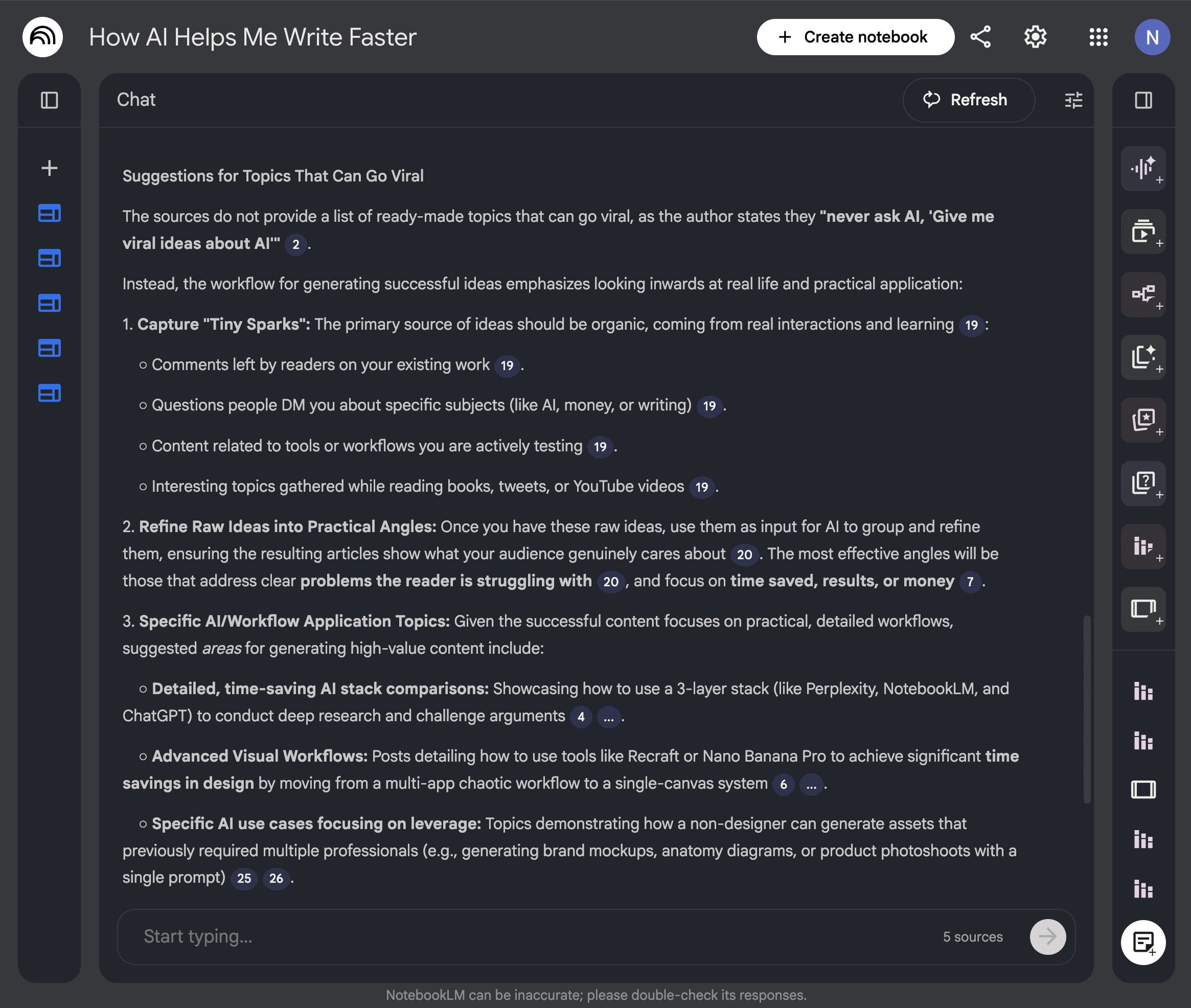
I can also generate infographics based on the questions I want to explore.
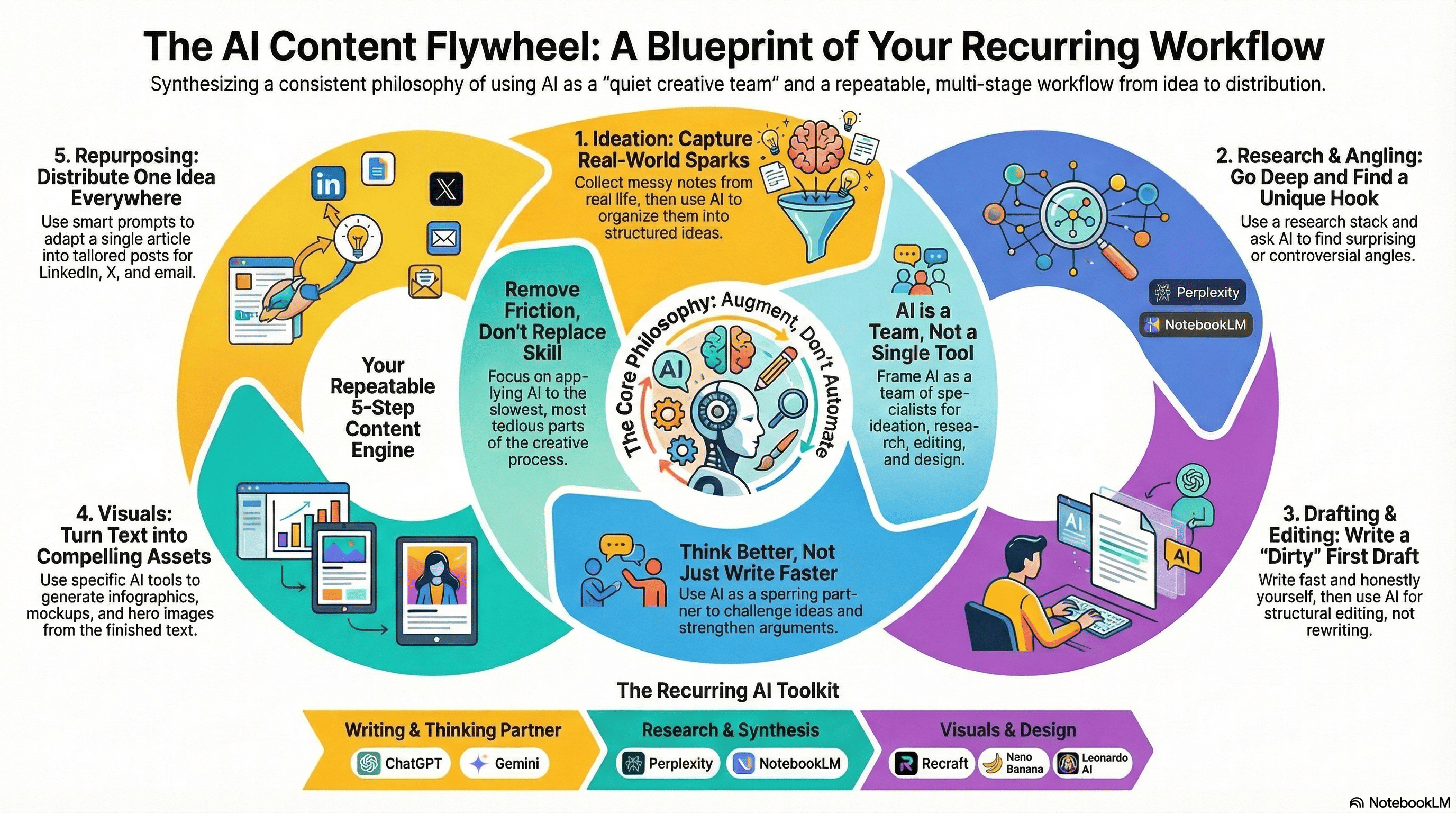
This gives me:
Core themes
My actual point of view
What my content is really about
Why my content went viral, with clear points I can focus on
Because of this, I can decide what to double down on, what to stop writing about, and which topic deserves a full breakdown post.
This way, I’m running a content audit on my published posts, and it’s genuinely helping my content business.
4. Turning long content into teaching material
Well, this is one of the most practical uses if you write or teach.
As you know, NotebookLM is very good and insanely accurate at generating visuals or infographics based on the content you upload.
This simple process helps turn explanations into steps, theory into exercises, and ideas into frameworks.
I don’t use generic prompts like “Explain this better in an infographic”.
Instead, I ask:
Turn this into a teachable sequence.
What should someone understand first?
What comes next?
What is the common mistake at each step?
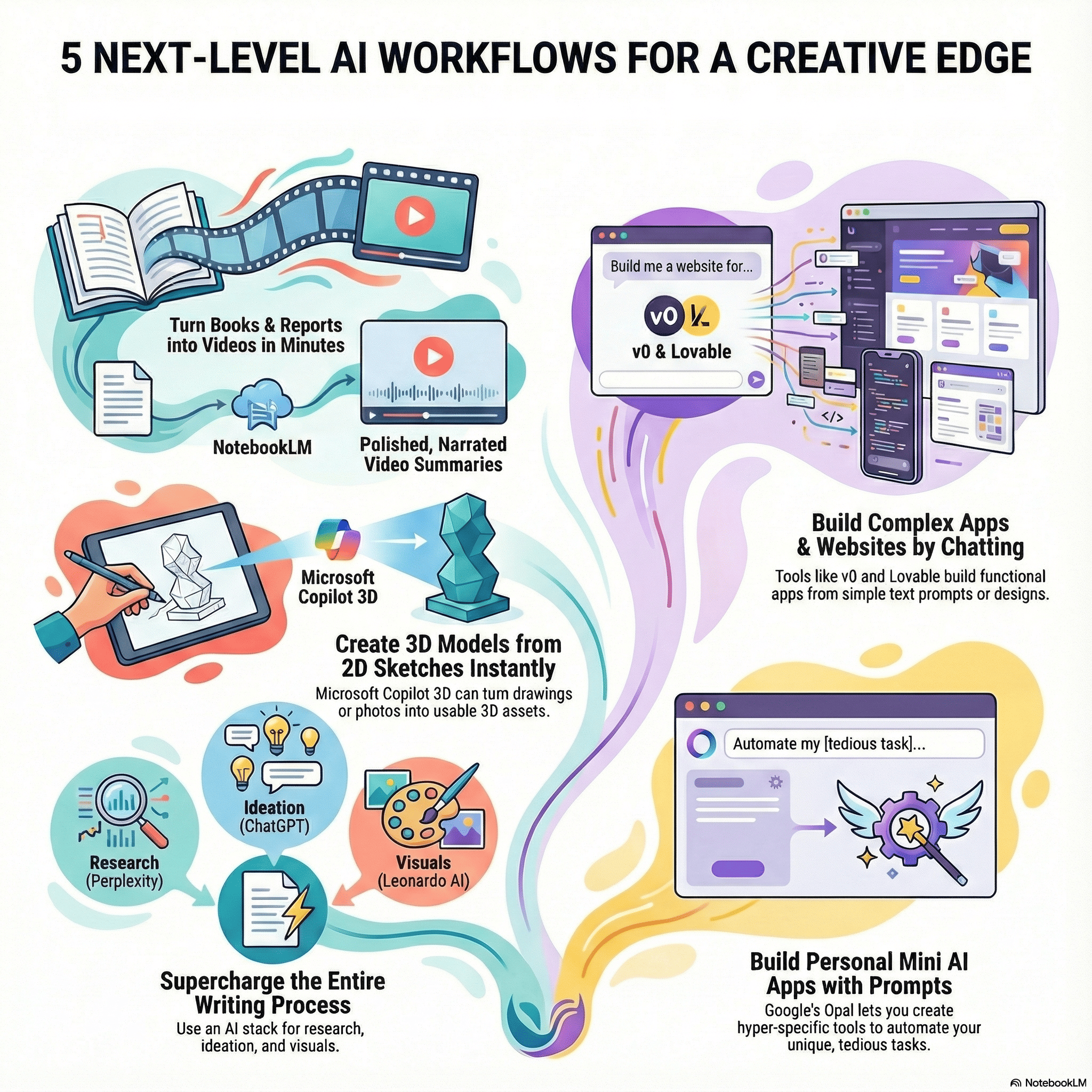
This is how I:
Create learning roadmaps
Structure paid content
Break complex ideas into usable chunks
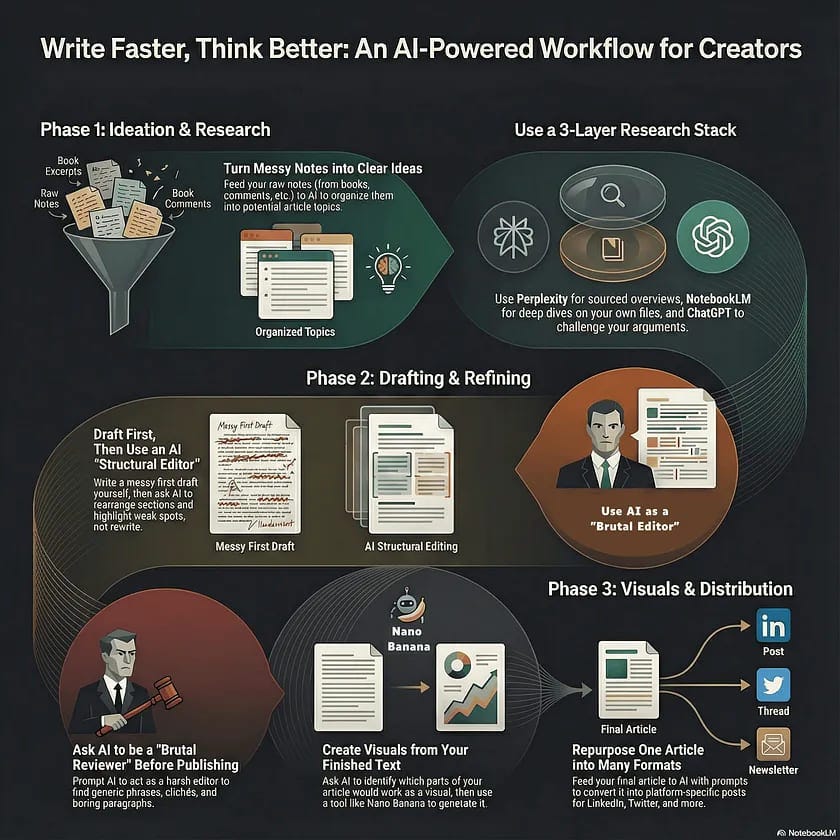
This way, my long-form content, which some people might find boring, turns into attention-grabbing teaching material that’s much easier and more enjoyable to visualize.
5. NotebookLM as a second brain that produces
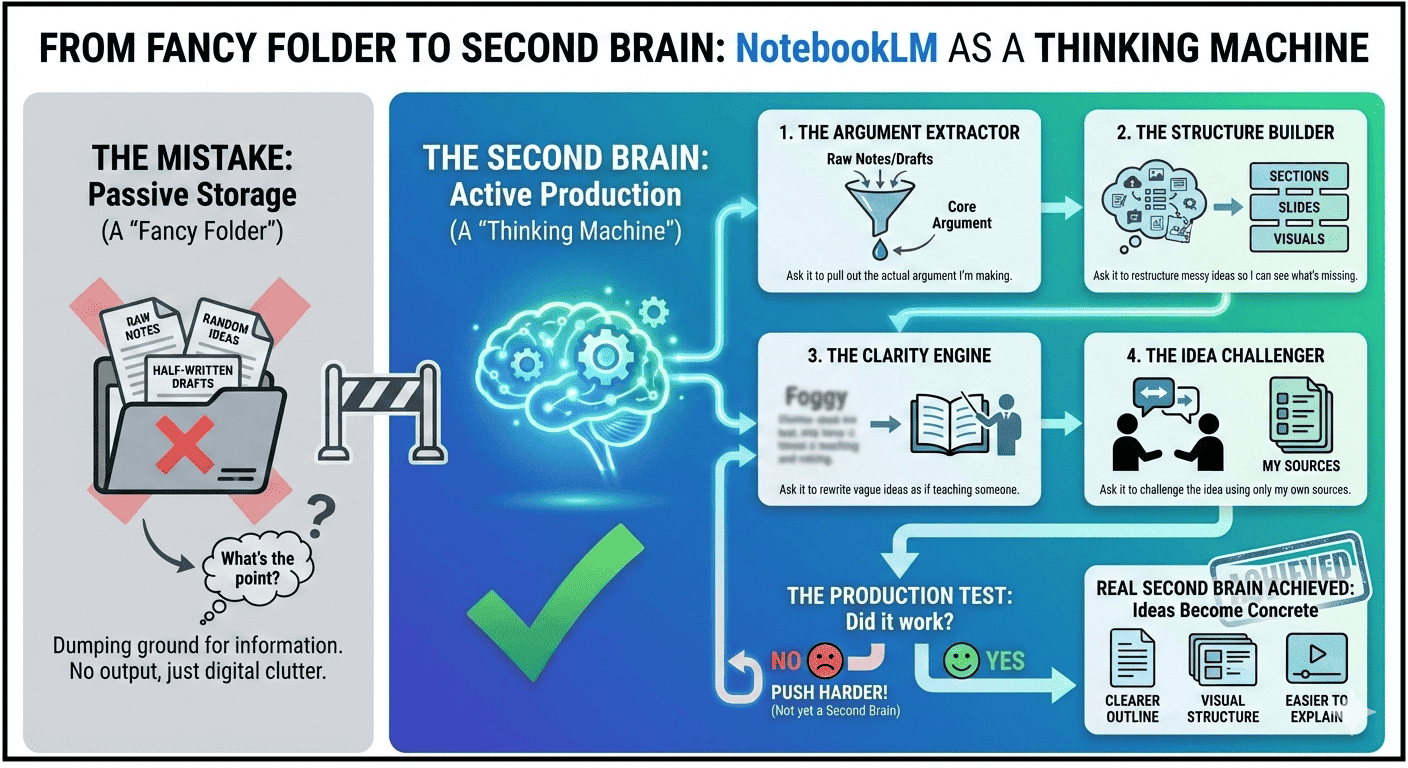
Well, this is the mistake most people make: “They use NotebookLM like a fancy folder”.
And that’s where, I use it like a thinking machine that forces my ideas to become something concrete.
Here’s what that looks like in practice:
When I dump raw notes or half-written drafts, I ask it to pull out the actual argument I’m making.
When an idea feels messy, I ask it to restructure it into sections or slides so I can see what’s missing.
When something sounds smart but vague, I ask it to rewrite it as if it has to teach someone.
When I’m unsure about a take, I ask it to challenge the idea using only my own sources.
And if NotebookLM doesn’t give me:
a clearer outline,
a visual or slide-friendly structure,
or a version that’s easier to explain,
then I haven’t pushed it hard enough.
That’s when it stops being storage and starts acting like a real second brain.
The real takeaway
Let me be blunt.
If you’re using NotebookLM to upload a PDF, ask a few questions, copy an answer then you’re barely using it.
The moment it becomes useful is when you force it to produce something.
Instead of asking: “What does this say?”
Ask:
Upload multiple documents and research in no time
Convert this into a slide deck or infographic structure
What’s the core idea hiding inside all these content?
And so on.
In short, use it inside your daily workflow to maximize your productivity, and save time.
And note that, NotebookLM works best when the output is:
a structure you can reuse,
a format you can design,
or an explanation you can ship.
In short, use it like a system that turns messy thinking into usable assets that can be useful for you, and that’s where it actually earns its place.
Hope you like it.
That’s it, thanks.
Also, don’t forget to checkout “The (Unfair) AI Workflow Bundle” where I shared exact set of AI workflows I use daily to run my work faster than feels normal.
NotebookLM is such useful tool, and it just keeps being integrated with other tools or with more Google's tools like Banana Pro and other things just becoming stronger and stronger!
Crazy good post too, thank you for sharing this!
The new feature in Gemini that allows it to read notebooks and then run prompts that use the full Gemini model is very powerful.