


Let’s be honest: most of us use NotebookLM to summarize documents and Claude to write something from the summary.
That works, but it barely scratches the surface of what you can actually do with these two tools combined. But for that, you need to stop treating them as separate AI tools and give each one a specific job.
But why combine them? Because NotebookLM is extremely good at working with a large collection of information. It can find patterns across documents, compare sources, extract evidence, and keep your answers grounded in the material you provide.
Claude, on the other hand, is better suited for taking that organized information and doing something useful with it. It can challenge your assumptions, connect ideas, find opportunities, make decisions, and turn research into an actual plan.
And if you put them together, you can build AI workflows that would take hours, days, or sometimes weeks to do manually.
And in this post, I’m going to show you 10 practical NotebookLM + Claude workflows you can actually use for work, learning, research, writing, business, and decision-making.
With that said, let’s get started.
Workflow #1: Turn 50 customer complaints into a product roadmap
You know that a business can be built only by solving customer issues.
And for that, you may find tons of problems on Reddit, Google, YouTube, and so on that you can solve by building a product and making money.
But the main problem is that useful problems are buried inside hundreds of individual conversations. You might have 50 customers complaining about different things, but there could be one underlying problem connecting many of those complaints.
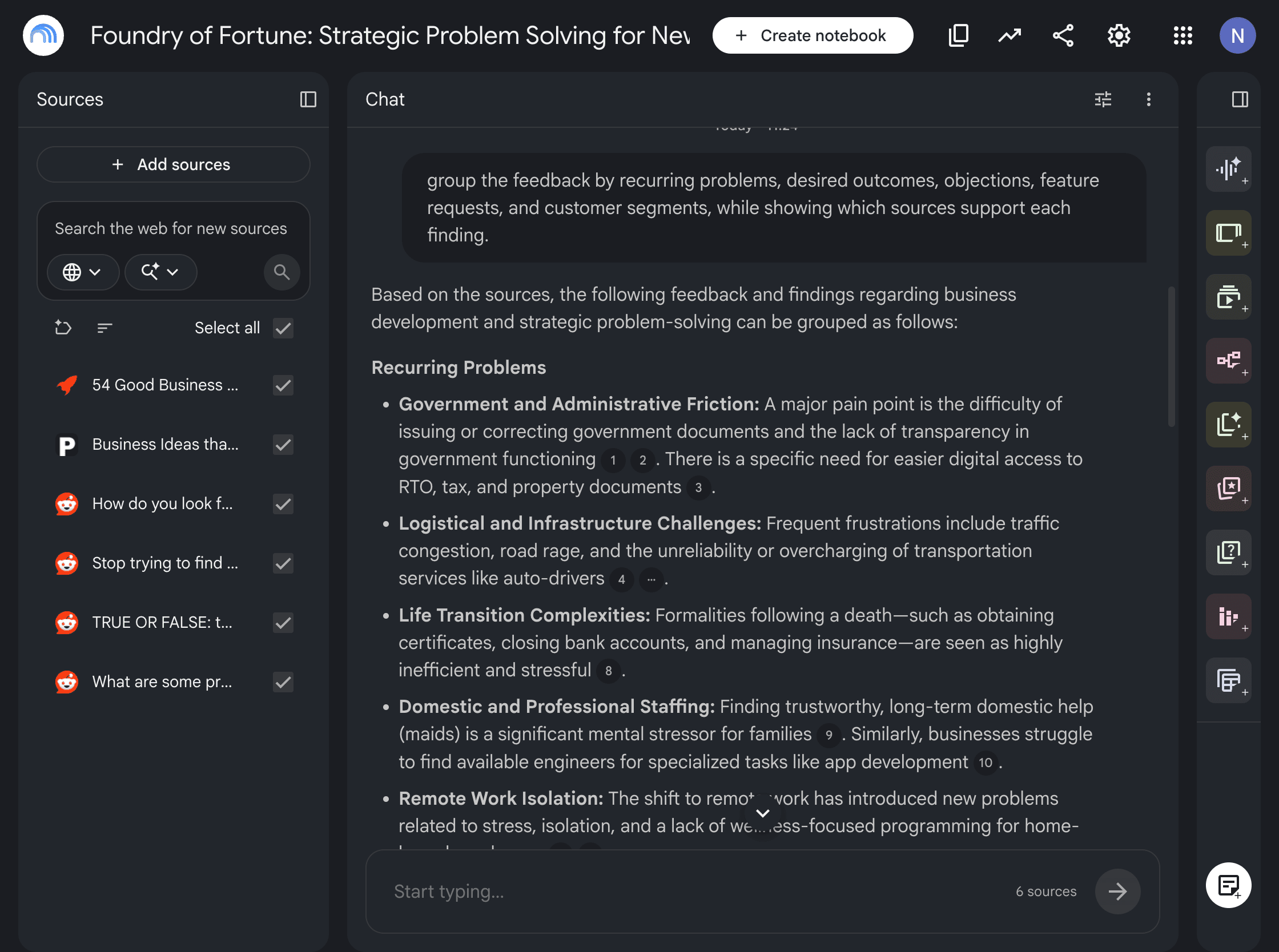
And that’s where you can use NotebookLM to organize the feedback and Claude to decide what deserves your attention.
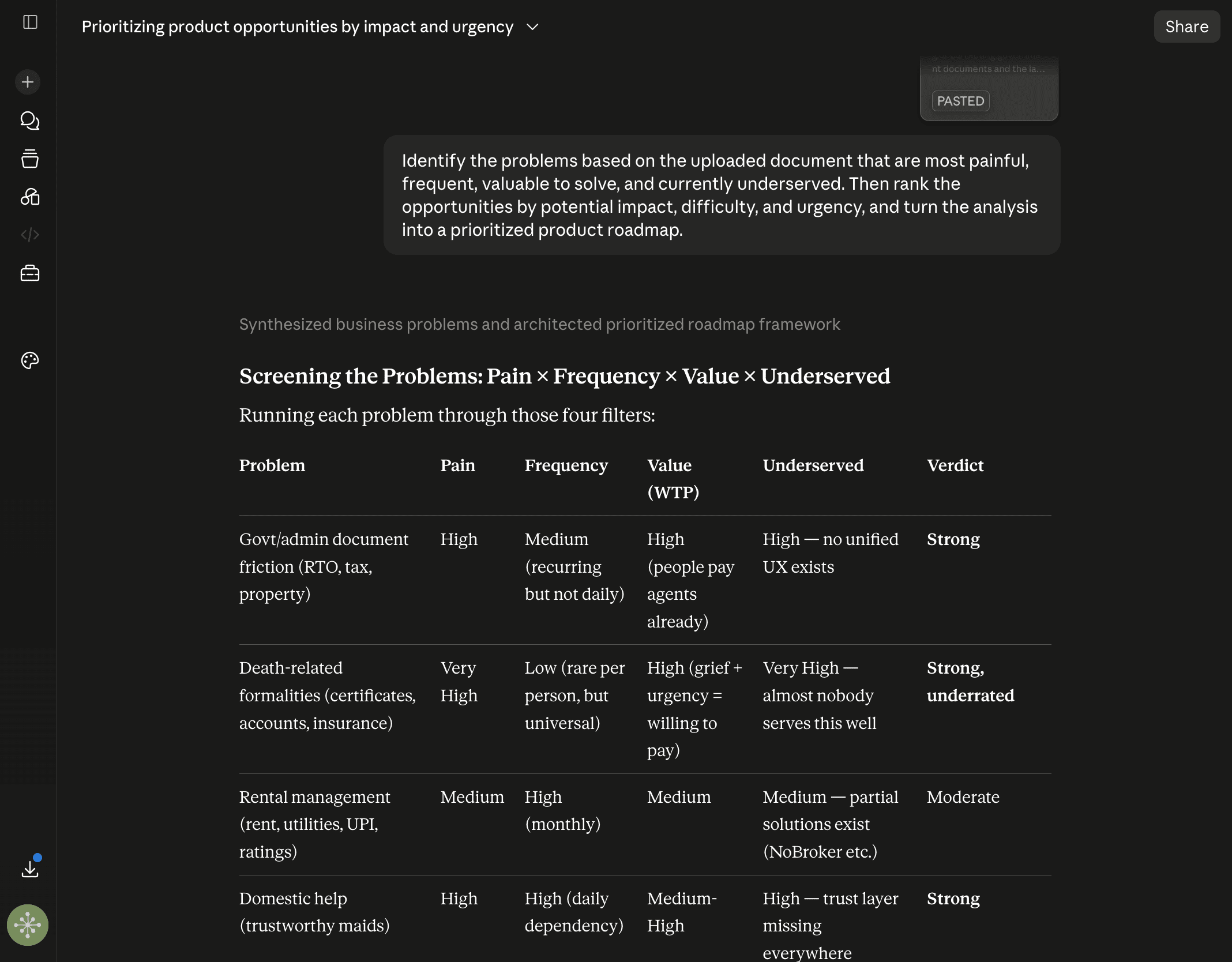
Here’s the workflow:
Upload customer reviews, support tickets, survey responses, Reddit discussions, sales-call transcripts, and feature requests into NotebookLM. Ask it to group the feedback by recurring problems, desired outcomes, objections, feature requests, and customer segments, while showing which sources support each finding.
Export the findings to Claude and ask it to identify the problems that are most painful, frequent, valuable to solve, and currently underserved. Then rank the opportunities by potential impact, difficulty, and urgency, and turn the analysis into a prioritized product roadmap.
Now you’re not building based on what one loud customer asked for.
You’re building based on patterns that repeatedly appear across your customer feedback.
Workflow #2: Learn a skill from the best people in the field
You can spend 30 hours watching tutorials, reading books, and saving useful articles and still have no idea what you should actually learn and practice.
There is simply too much information available.
The bigger problem is that most learning resources explain what you should know, but they rarely tell you exactly what to practice, what mistakes to avoid, and how to know whether you’re getting better.
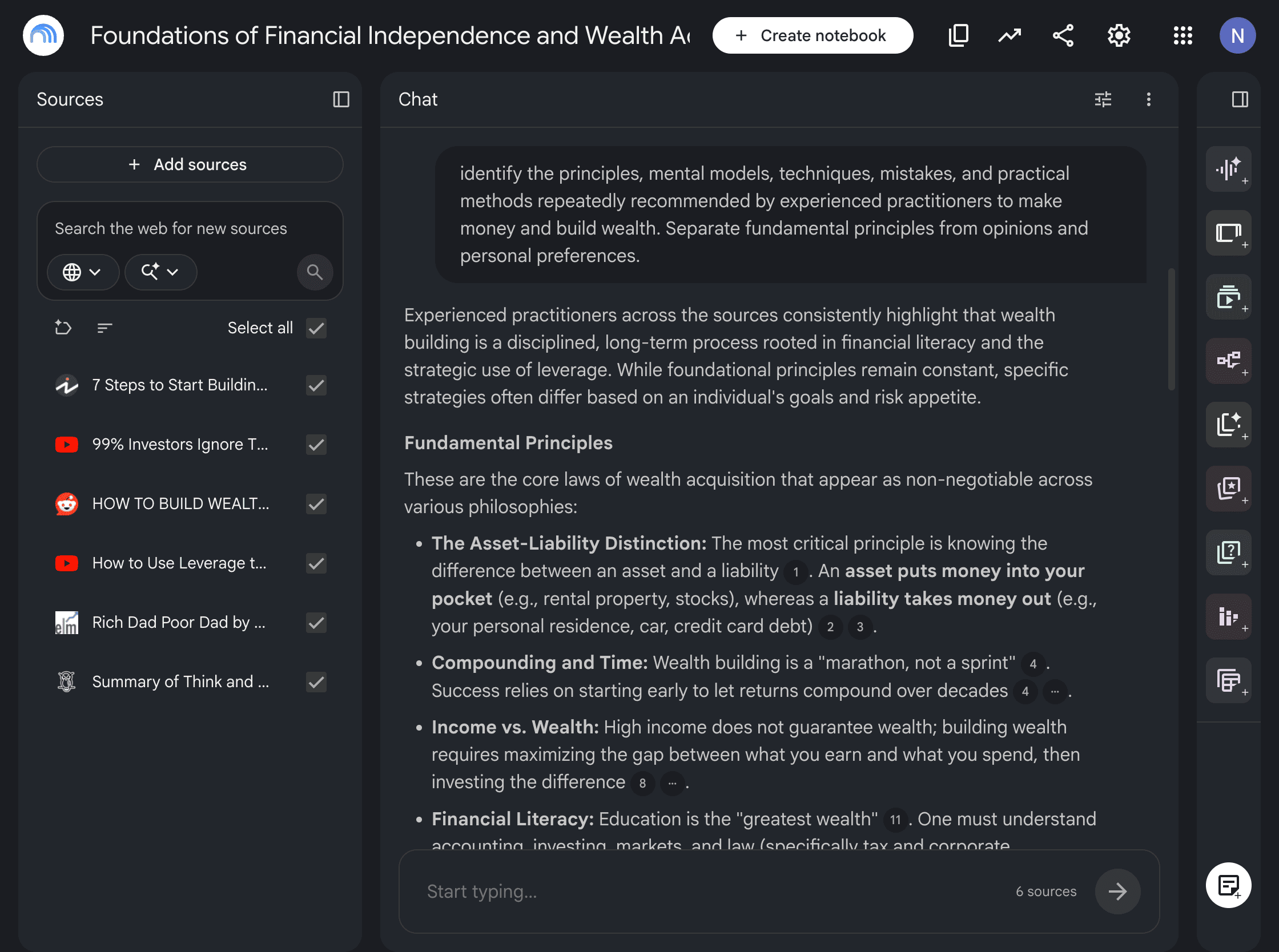
And that’s where, instead of consuming another course, you can collect the best material from people who are already excellent at the skill and let NotebookLM find the patterns across their knowledge.
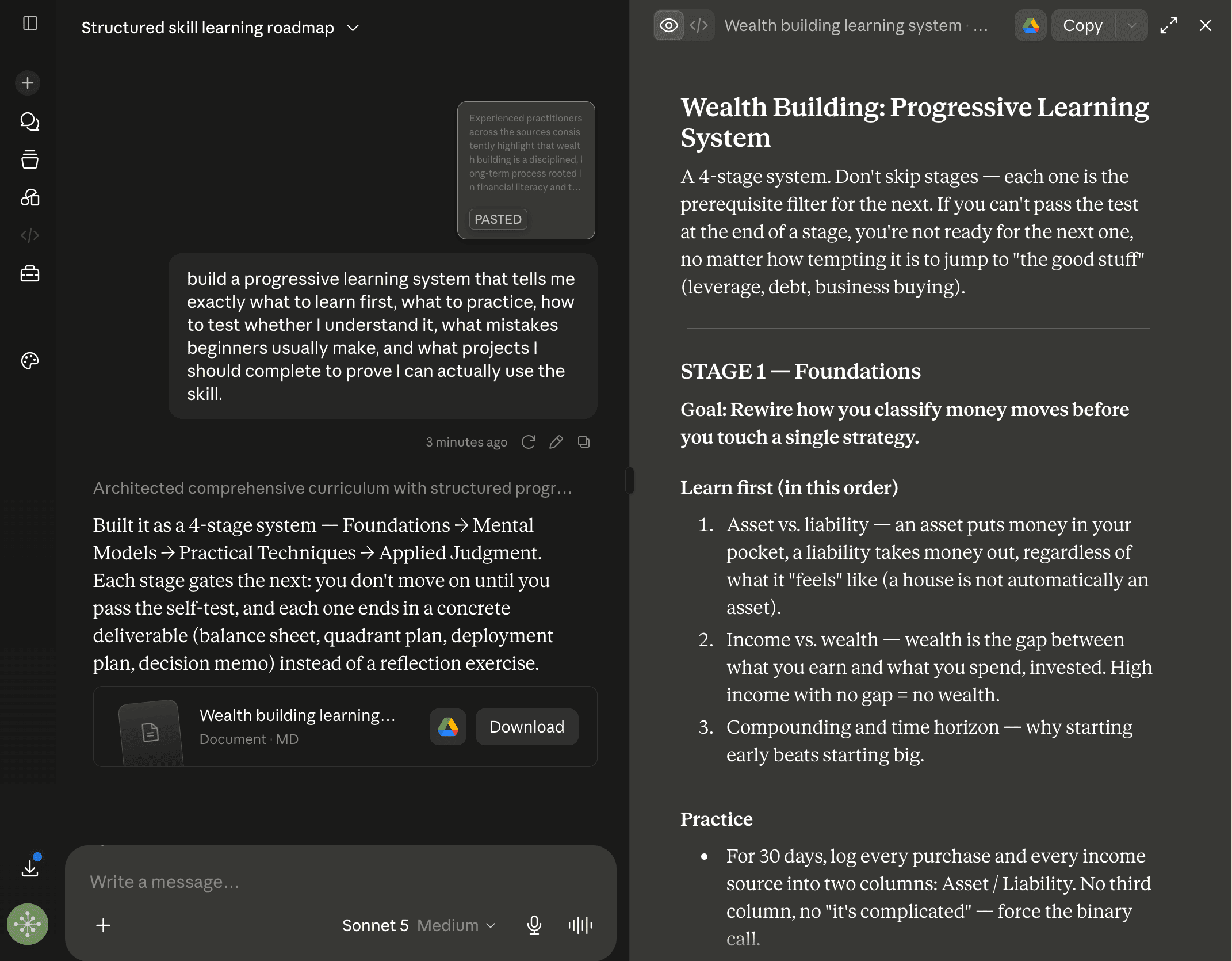
Then use Claude to turn those patterns into something you can actually follow.
Here’s the workflow:
Upload books, tutorials, transcripts, courses, interviews, and articles from experts in the skill I want to learn into NotebookLM. Ask it to identify the principles, mental models, techniques, mistakes, and practical methods repeatedly recommended by experienced practitioners. Separate fundamental principles from opinions and personal preferences.
Export the findings to Claude and ask it to build a progressive learning system that tells me exactly what to learn first, what to practice, how to test whether I understand it, what mistakes beginners usually make, and what projects I should complete to prove I can actually use the skill.
You see, it’s much better than asking AI to create another generic study plan.
And from the above workflow, you’re basically extracting the best advice from multiple experts and turning it into a system you can practice.
Just so you know:
Everything in this post is something I actually use, but it’s only a small part of my complete AI workflow.
Over the past few months, I’ve built a practical system that helps me learn faster, research smarter, create content consistently, validate business ideas, automate repetitive tasks, and save hours every single week.
I’ve packaged everything inside “The AI Leverage System”.
Inside, you’ll find the exact workflows, prompts, templates, and step-by-step systems I use daily, so you don’t have to figure everything out from scratch or waste time jumping between random YouTube videos and blog posts.
You can spend months reverse-engineering this on your own, or you can get the exact system I use right now.
Workflow #3: Find what your competitors are missing
Most of you research competitors by looking at their websites, features, and pricing.
Then you try to create a product that looks almost exactly like everything that already exists.
The problem is that competitor research usually tells you what everyone else is doing. It does not automatically tell you what everyone else is missing.
And that’s where you can give NotebookLM the information customers are already providing about your competitors, including reviews and complaints.
Then let Claude look for opportunities hiding inside those weaknesses.
Here’s the workflow:
Upload competitor websites, product documentation, pricing pages, reviews, case studies, comparison articles, and customer complaints into NotebookLM. Ask it to create a structured comparison of each competitor’s features, positioning, pricing, target audience, strengths, weaknesses, and recurring customer complaints.
Export the analysis to Claude and ask it to identify gaps that multiple competitors are ignoring, opportunities nobody is positioning around, and specific ways a new product could differentiate itself. Then create a positioning strategy built around those gaps.
Your competitors’ weaknesses can become your positioning.
And sometimes the best business opportunity is not something completely new. It is something customers already want that existing companies are simply doing badly.
Workflow #4: Turn a pile of research into an expert briefing
Most often, I have close to 20 articles, 5 research papers, several videos, reports, notes, and conflicting opinions open in different tabs.
After spending hours reading everything, I still have to figure out what actually matters, what to remember, what to connect, and so on.
And simply asking AI to “summarize everything” usually gives you another giant wall of information that you may never want to read.
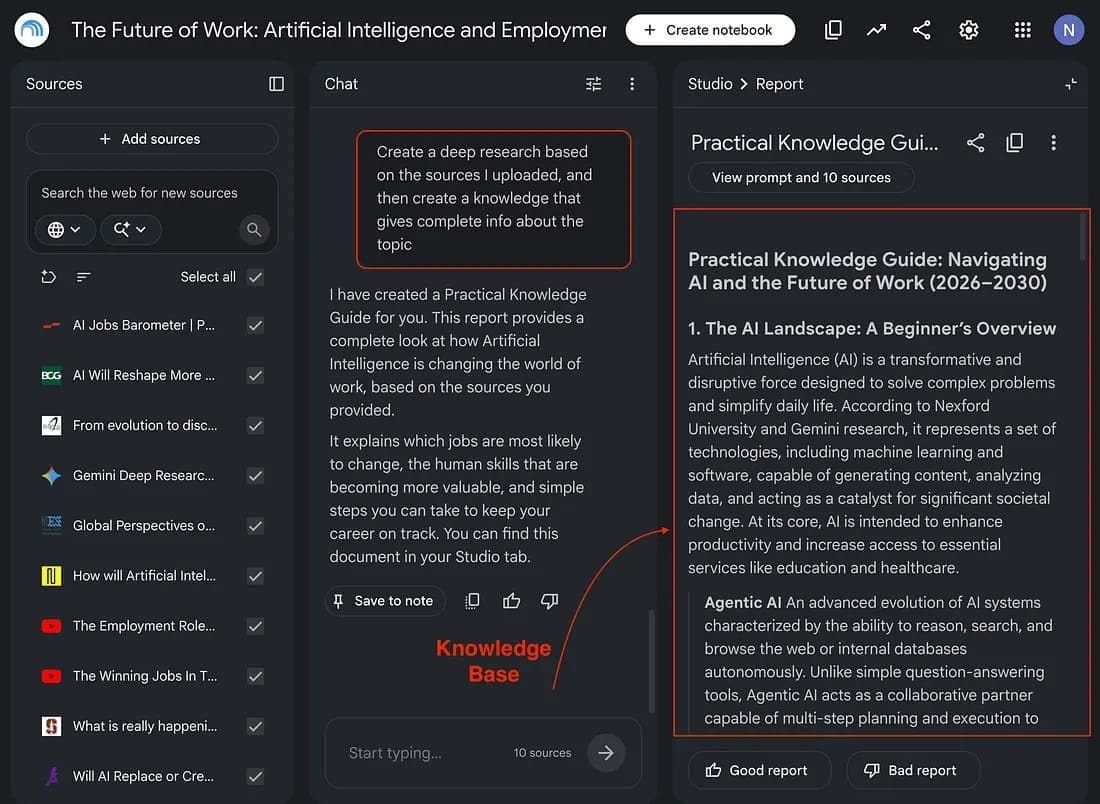
That’s where you can use NotebookLM to research, build a knowledge base, and separate evidence, disagreements, important findings, and questionable claims.
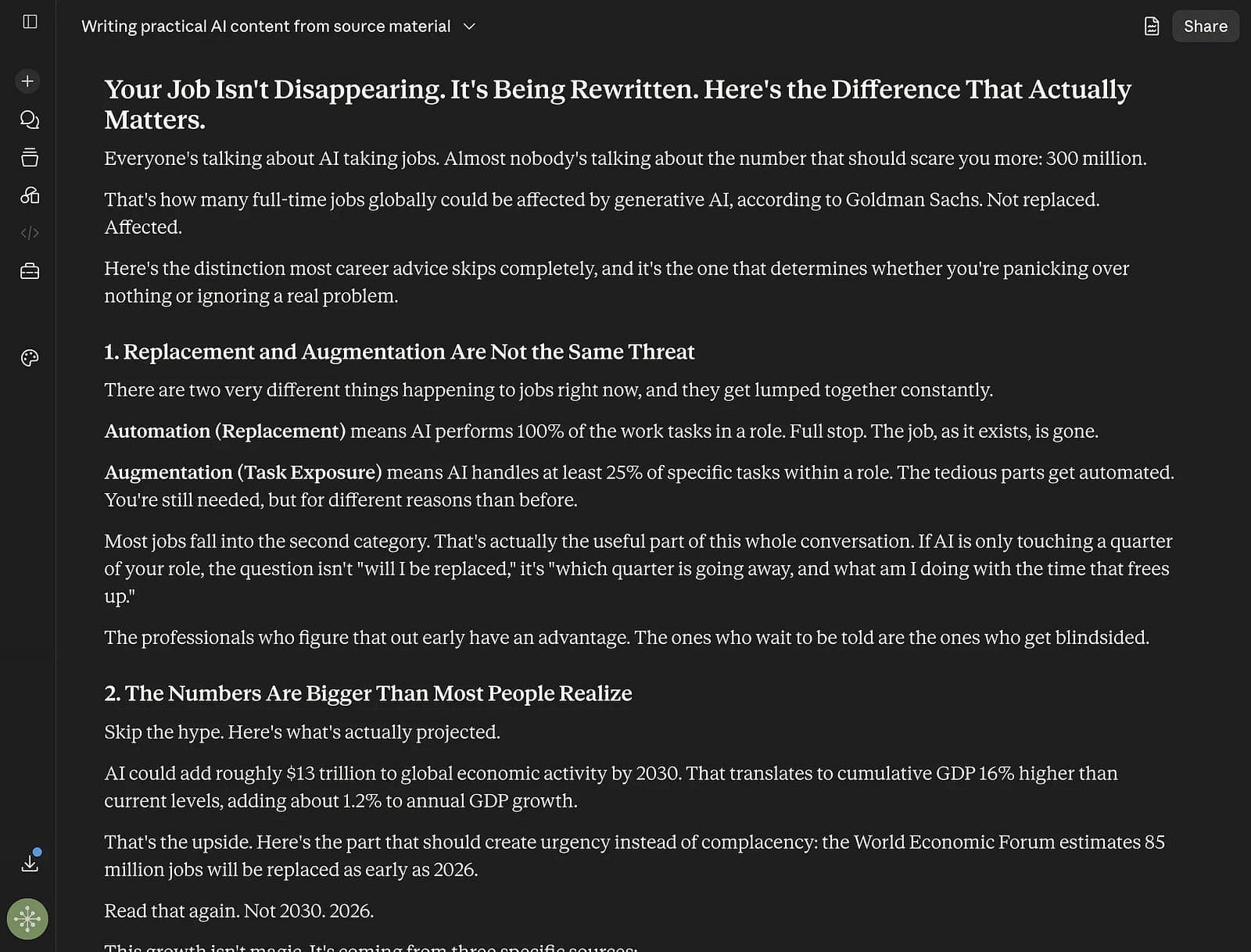
Then use Claude to turn that research into a briefing that helps you understand the subject and make better decisions.
Here’s the workflow:
Upload all the research, reports, studies, articles, interviews, and notes about this topic into NotebookLM. Ask it to identify the most important evidence, competing viewpoints, surprising findings, disagreements between sources, and claims that require more verification.
Export the findings to Claude and ask it to act like a senior researcher who has to brief an expert before an important meeting. Create a concise briefing covering what I know, what I don’t know, what most people misunderstand, where the evidence conflicts, and what conclusions can reasonably be drawn.
This workflow is much more useful than asking AI for another summary.
Workflow #5: Find the ideas hiding inside a dozen books
Let’s be honest: you can read 10 books about the same subject and still end up with 10 separate collections of notes.
Even if you remember a few interesting ideas from each book, you rarely see how those ideas connect.
And because many books repeat the same fundamental advice, you can spend hundreds of hours consuming information without actually building a deeper understanding of the subject.
That’s where you can put the books, notes, articles, and highlights into NotebookLM and ask it to find the connections, disagreements, and unique ideas across them.
Then let Claude turn those findings into one useful mental model.
Here’s the workflow:
Upload the books, notes, articles, and highlights you’ve collected about this subject into NotebookLM. And then ask it to identify recurring principles, unique ideas, disagreements, examples, frameworks, and ideas that appear in one source but are supported or contradicted by another.
Export the findings to Claude and ask it to combine these ideas into a single mental model. Remove repetitive advice, preserve important disagreements, identify the highest-leverage principles, and explain how these ideas can be applied in real situations.
You see, now you aren’t reading tons of books or reading summaries. Instead, you’re going one level deeper, understanding what you need from multiple books, combining ideas, and learning how you can apply them in real situations.
Workflow #6: Build a second brain or personal expert from everything you’ve learned
Most of us have years of accumulated knowledge scattered across notebooks, saved articles, books, documents, project notes, and random folders.
The frustrating part is that we rarely know what we actually know.
And that’s where you can further use NotebookLM to upload your accumulated knowledge and let it map the patterns across everything you have learned.
Then use Claude to turn that analysis into a personal knowledge map.
Here’s the workflow:
Upload your notes, books, articles, research, project documents, saved essays, transcripts, and important ideas into NotebookLM. Ask it to organize them into major areas of knowledge and identify recurring principles, mental models, beliefs, skills, unanswered questions, and contradictions in my thinking.
Export the analysis to Claude and ask it to create a personal knowledge map showing what I understand deeply, what I only understand superficially, what ideas connect across different subjects, and what I should learn next to close the biggest gaps.
This is how you can build your second brain that tells you what you need to remember and even shows you what you’re missing.
Workflow #7: Reverse-engineer how experts think
We often study successful people by looking at what they achieved. We read their books, watch their interviews, and collect their advice.
But knowing what an expert recommends is not the same as understanding how they think.
Two people can have access to the exact same information and still make completely different decisions because they approach problems differently or think differently.
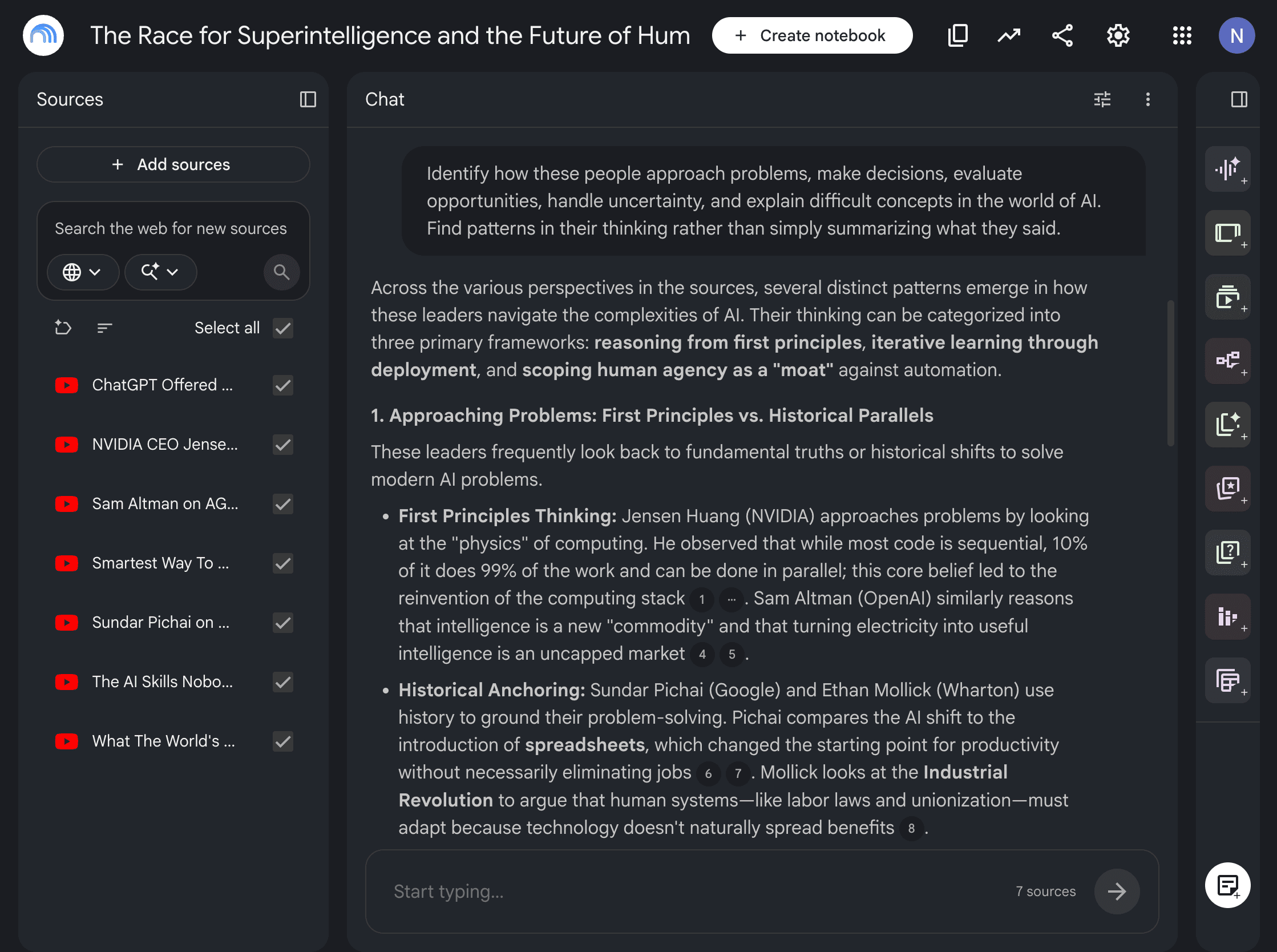
So instead of asking NotebookLM to summarize what experts said, ask it to identify the thinking patterns behind their decisions. Then use Claude to turn those patterns into a framework you can actually use.
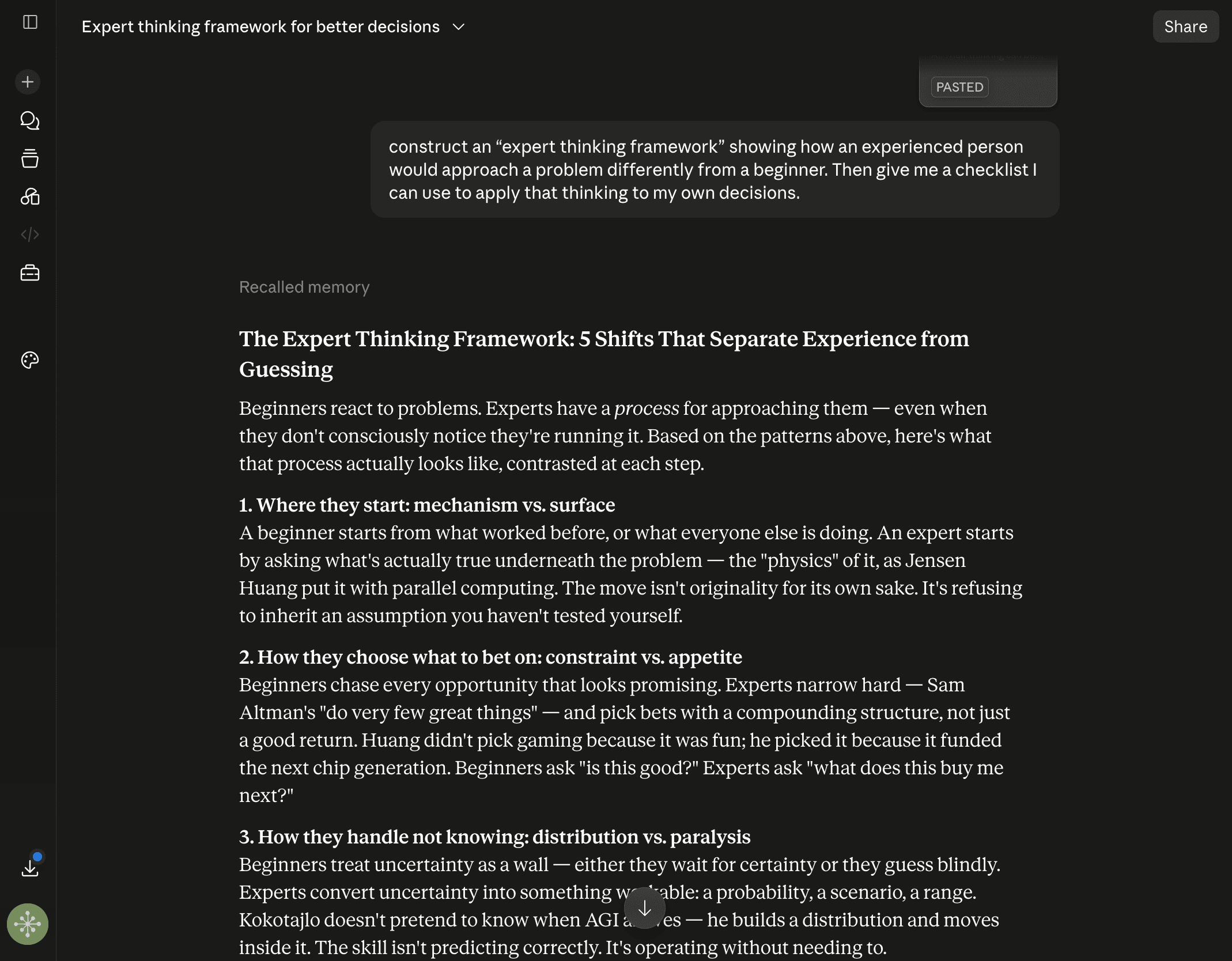
Here’s the workflow:
Upload interviews, podcasts, articles, books, talks, and case studies from 5 to 10 experts in the same field into NotebookLM. Identify how these people approach problems, make decisions, evaluate opportunities, handle uncertainty, and explain difficult concepts. Find patterns in their thinking rather than simply summarizing what they said.
Export the findings to Claude and ask it to construct an “expert thinking framework” showing how an experienced person would approach a problem differently from a beginner. Then give me a checklist I can use to apply that thinking to my own decisions.
That’s a much more interesting use of NotebookLM + Claude than simply asking AI to summarize what experts said.
Workflow #8: Turn a long, expensive course into an implementation plan
Let’s be honest: most of us buy expensive courses but never get the time to go through them.
And the remaining 10% buys a course, watches the first few lessons, takes dozens of notes, saves the worksheets, and tells themselves that they will come back to it later.
Then another course comes along. You see, the information keeps growing, but the amount of action you take does not.
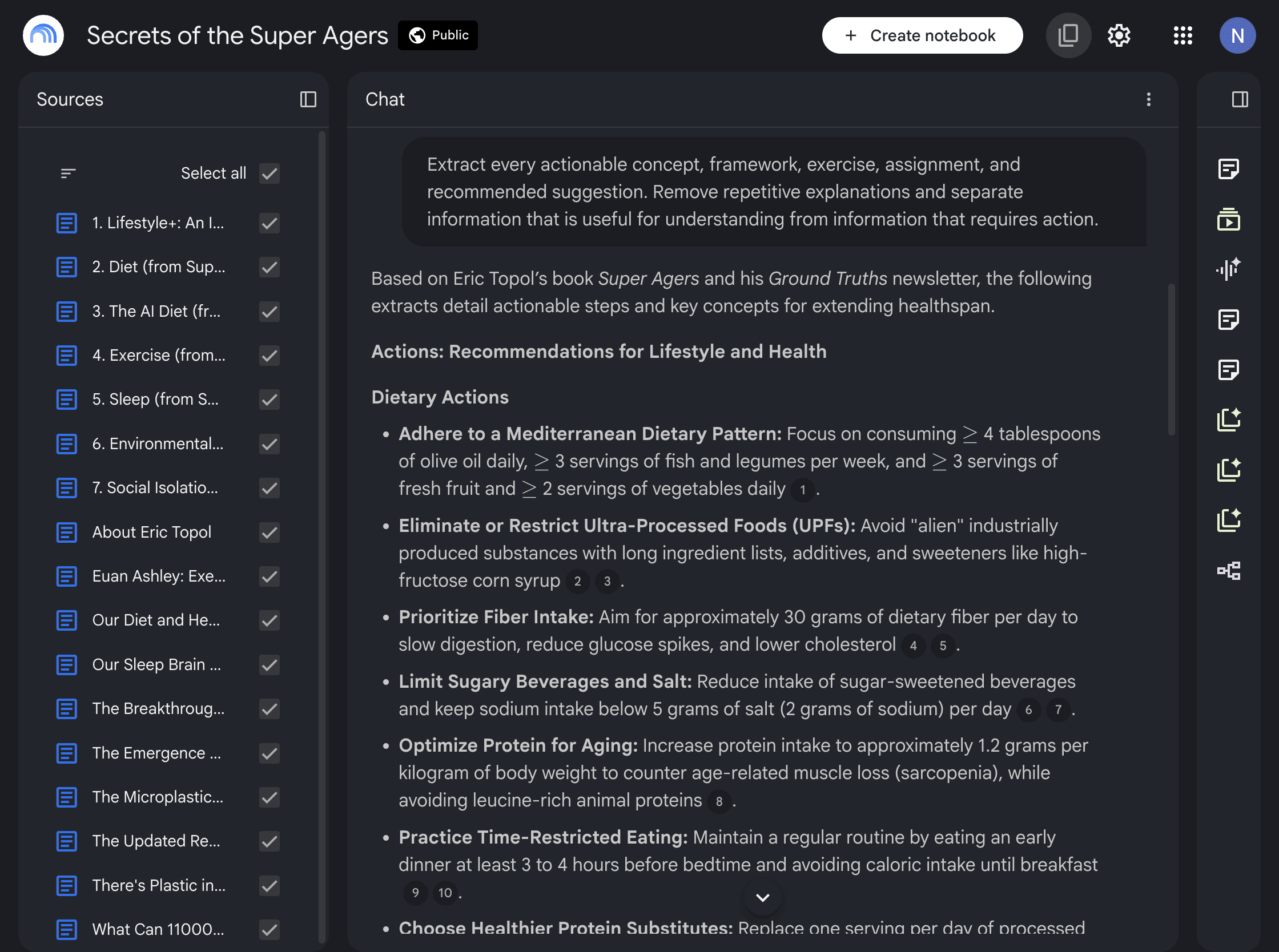
That’s where you can upload the entire course into NotebookLM and separate the information you need to understand from the things you actually need to do.
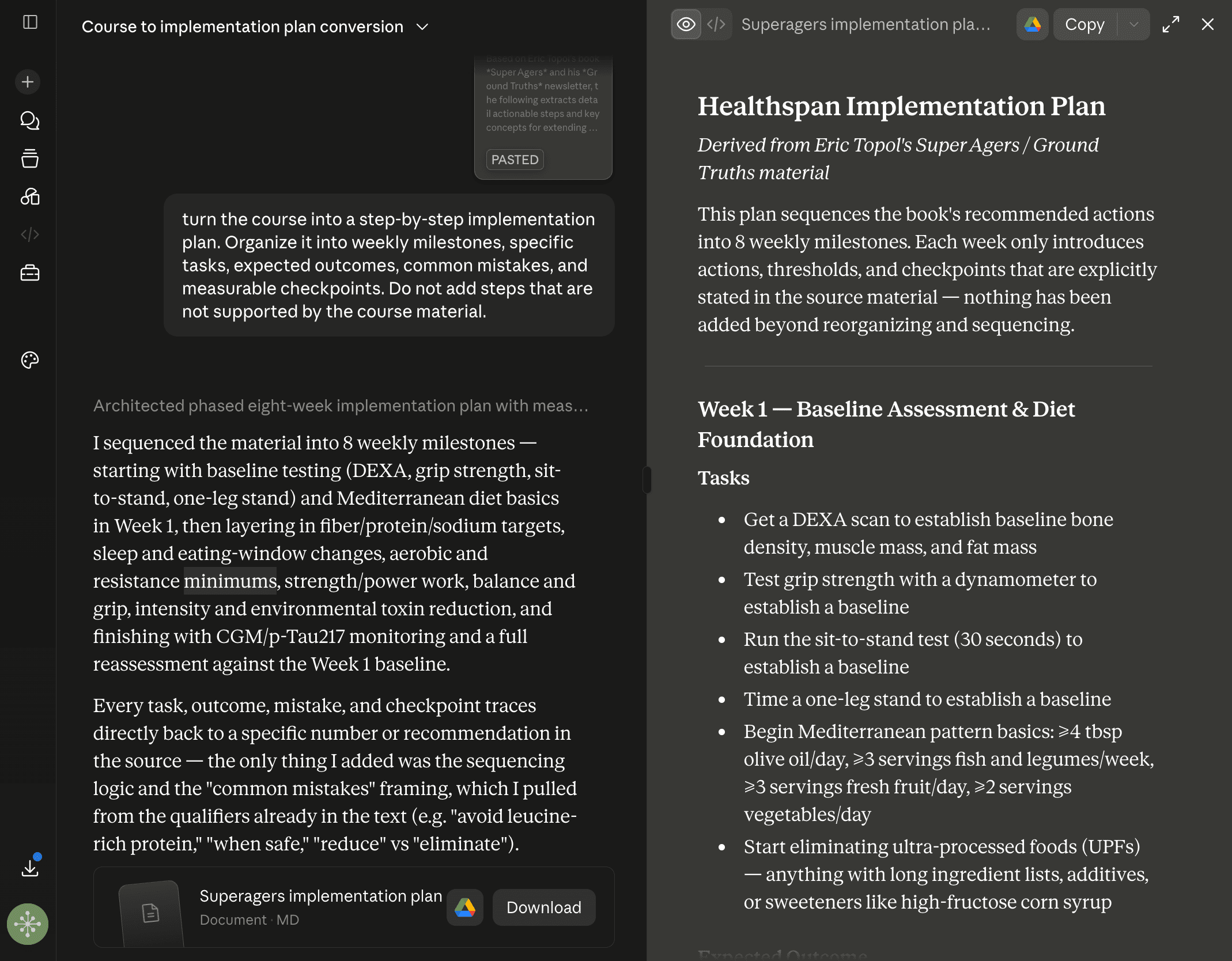
Then let Claude turn the actionable material into a structured implementation plan.
Here’s the workflow:
Upload the course transcripts, lessons, slides, worksheets, and supporting resources into NotebookLM. Extract every actionable concept, framework, exercise, assignment, and recommended tool. Remove repetitive explanations and separate information that is useful for understanding from information that requires action.
Export the actionable material to Claude and ask it to turn the course into a step-by-step implementation plan. Organize it into weekly milestones, specific tasks, expected outcomes, common mistakes, and measurable checkpoints. Do not add steps that are not supported by the course material.
Workflow #9: Audit your own work using your knowledge base
It is surprisingly difficult to find your own weaknesses.
You can look at your writing, code, business decisions, research, or projects and convince yourself that the problem was the market, the client, the algorithm, or bad timing.
Sometimes that is true.
But sometimes you are simply repeating the same mistakes without noticing them.
And that’s where you can give NotebookLM your previous work and feedback and ask it to find patterns across your successes and failures.
Then let Claude act as the brutally honest reviewer.
Here’s the workflow:
Upload your previous work, notes, research, successful projects, failed projects, feedback, and relevant documentation into NotebookLM. Identify recurring patterns in what I do well, what I consistently get wrong, what mistakes repeat, and which approaches produce the best results.
Export the findings to Claude and ask it to act as a brutally honest reviewer. Identify the three highest-impact weaknesses you should fix, the strengths I should double down on, and the specific changes I should make to my process. Prioritize recommendations based on potential impact rather than giving me a long list of generic advice.
That’s actually personalized AI instead of asking Claude, “How can I improve?”
And you see, the difference is that Claude now has evidence from your own work to analyze.
Workflow #10: Find the 20% of information that actually matters
Suppose you have 500 pages of research but only need five findings to make a better decision.
But when you ask any LLM, it will happily summarize all 500 pages for you.
Now you have 500 pages of research turned into 5 pages of summary, and you still have to figure out what actually matters.
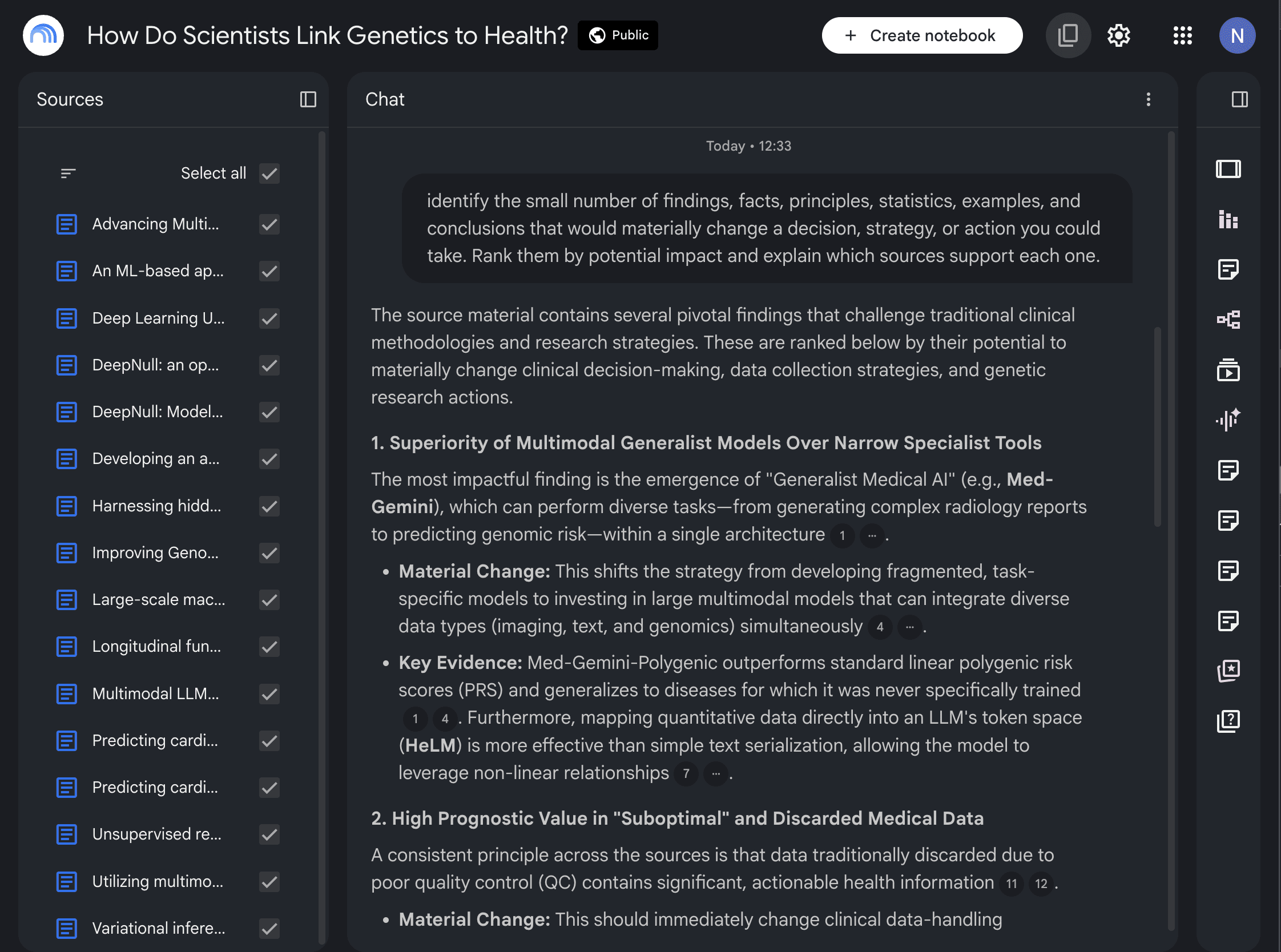
That’s where you can ask NotebookLM to find the 20% of information that could actually change what you do.
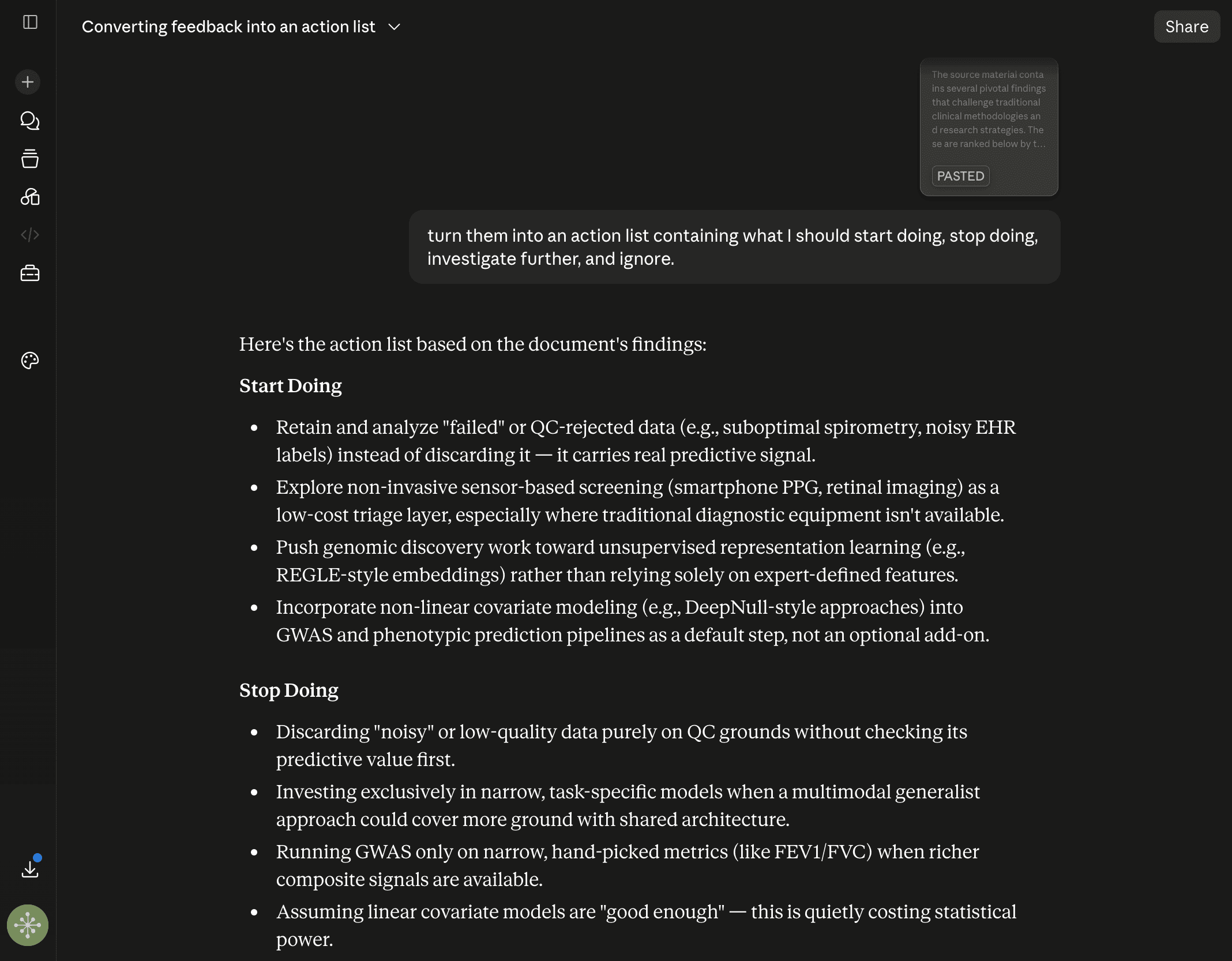
Then let Claude turn those findings into concrete actions.
Here’s the workflow:
Upload all of your research into NotebookLM. Do not summarize everything. Instead, identify the small number of findings, facts, principles, statistics, examples, and conclusions that would materially change a decision, strategy, or action I could take. Rank them by potential impact and explain which sources support each one.
Export the ranked findings to Claude and ask it to turn them into an action list containing what I should start doing, stop doing, investigate further, and ignore.
This is much more practical than another “summarize my documents” workflow.
Hope you like it.
That’s it — thanks.
If this resonated with you, share it with someone who needs to read it or repost it, since most people want to learn practically about AI but won’t access posts like this.
And that’s where you can help someone you care about use AI practically and get ahead.
Also, don’t forget to check out “The AI Leverage System” where I share the exact set of AI workflows I use daily to learn faster, research smarter, create content, and build products.
Another terrific tutorial, well done!
What a generous resource!