
My favorite use case for each top AI tool
Learn how I finally made these AI tools feel useful instead of overwhelming with this practical guide.


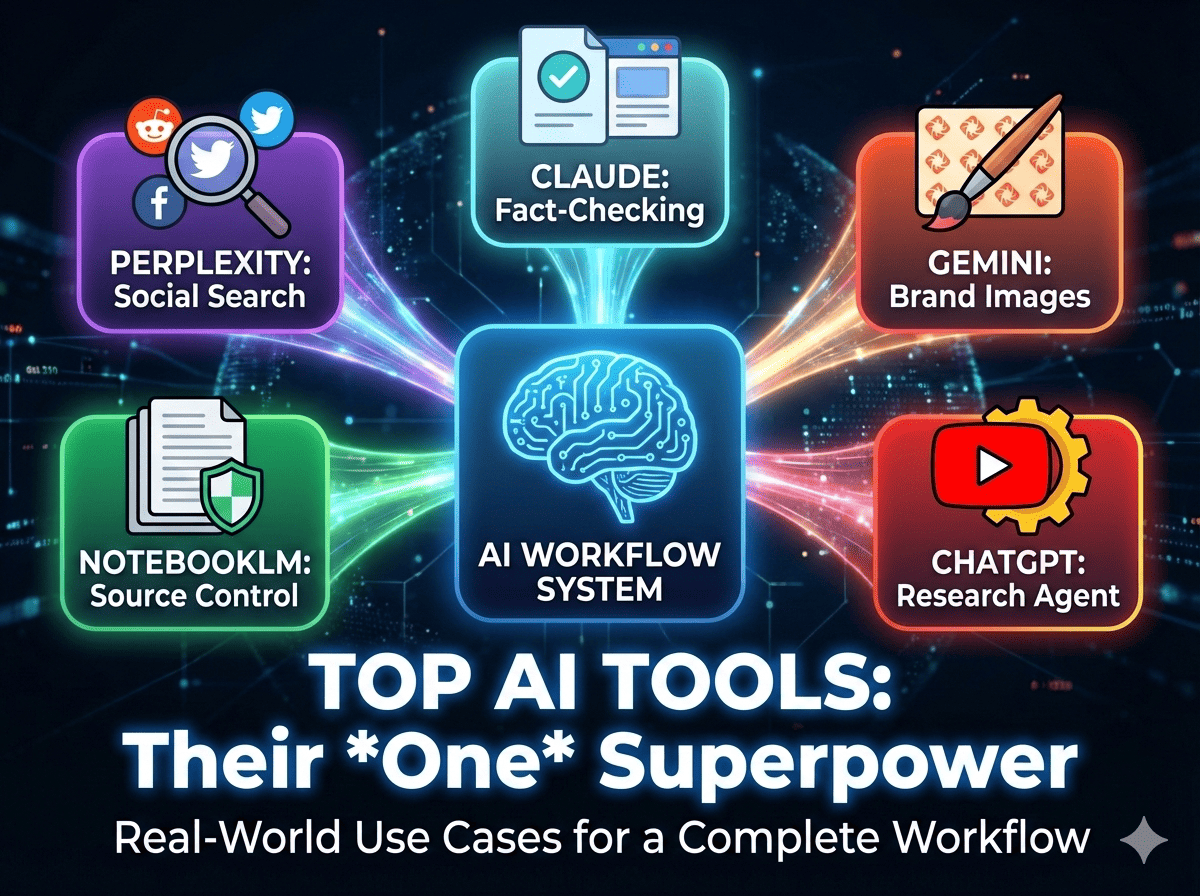
Most content creators have the same problem: a desktop full of AI tools they barely use.
You’ve signed up for ChatGPT, Gemini, Claude, Perplexity, and NotebookLM. Maybe you’ve even paid for the premium plans.
But here’s what usually happens: You end up using ChatGPT for almost everything, the other subscriptions sit untouched, and you’re left wondering why AI still hasn’t transformed your workflow.
The problem isn’t the tools. It’s not knowing what each AI tool is actually best at.
That’s why I asked Joel Salinas to write a super-informative, practical guide breaking down his favorite real-world use cases for each top AI tool.
From the next section onward, Joel Salinas (one of the top AI expert) takes over.
I’m Joel Salinas, founder of Leadership in Change, where I help business leaders implement AI strategically. For the past year, I’ve been testing every AI tool I could find, looking for the ones that actually save time rather than create more work.
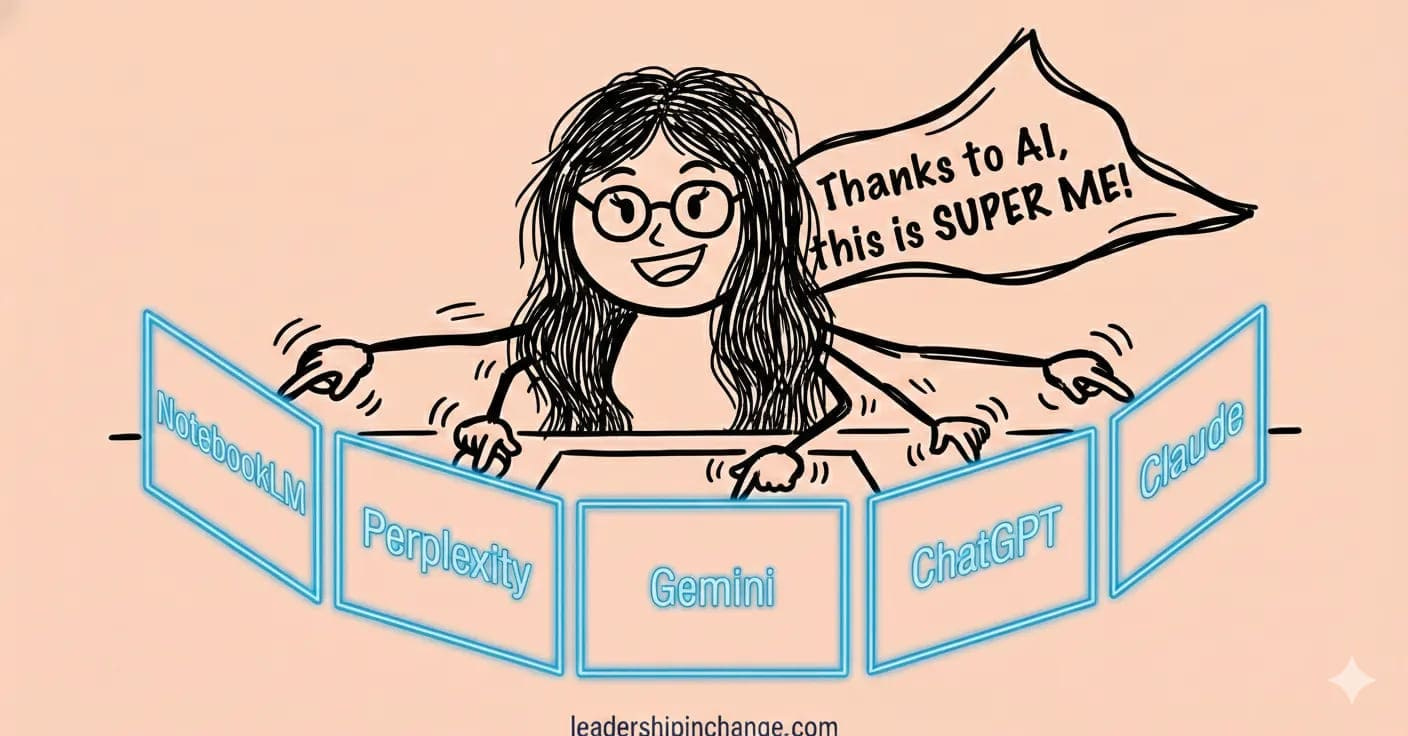
The breakthrough wasn’t finding better tools. It was discovering that each tool has one specific superpower, and when you use them for those specific jobs, they work together like a complete system.
In this post, you’ll learn:
How to use Perplexity’s Social Search to find what your audience actually wants
The Gemini feature that maintains consistent visual branding across all images
How NotebookLM’s source control eliminates AI hallucinations in research
My ChatGPT agent workflow that automates YouTube research completely
How Claude’s Chrome extension validates every fact in your content automatically
With that said, let’s go!
Perplexity: The Social Proof Hunter
Most AI tools still search the web the way Google did in 2010. Perplexity searches like a human researcher in 2025.
Here’s my exact use case:
Before I write any article for Leadership in Change, I use Perplexity’s “Social Search” mode to find real Reddit and Twitter discussions about my topic. I’m not looking for expert opinions or polished blog posts. I’m looking for what actual people are asking, complaining about, and confused by.
To give you a specific example.
Last week, I wanted to write about AI implementation for nonprofits. So I asked Perplexity: “What are nonprofit leaders saying about AI implementation challenges on Reddit?”
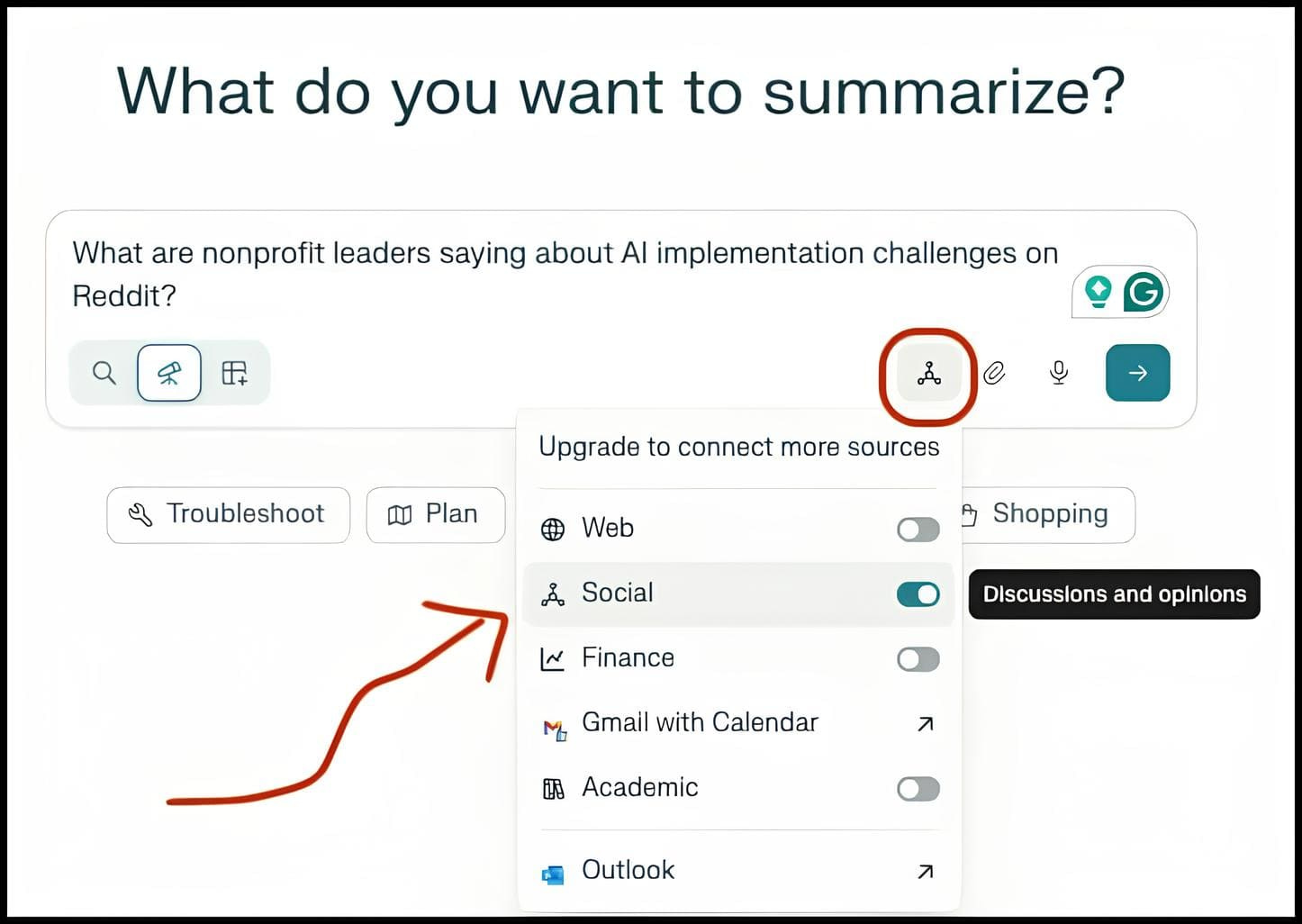
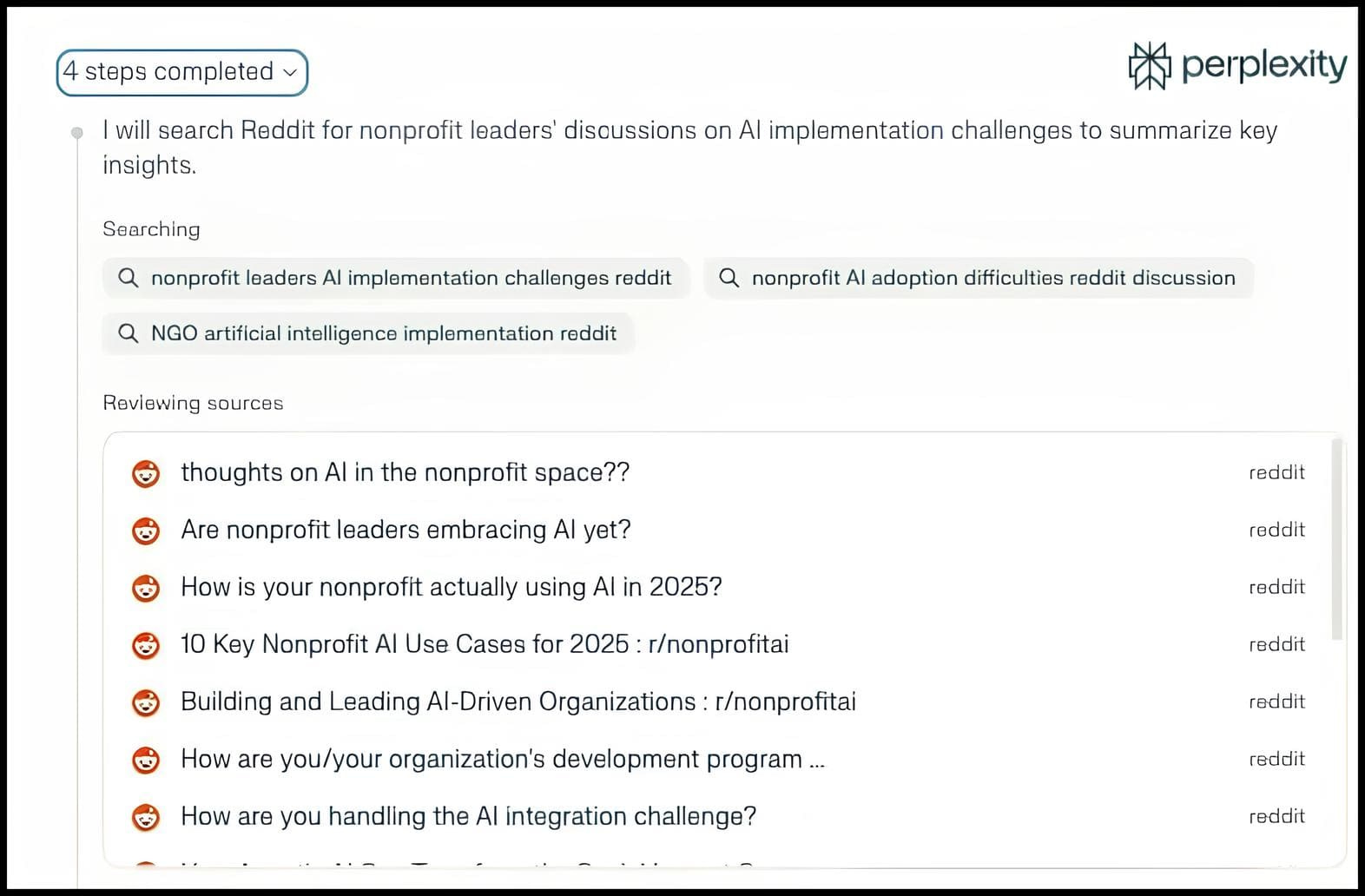
Within 30 seconds, it surfaced 15 Reddit threads I would never have found through Google.
You see:
Real nonprofit directors talking about budget constraints, board resistance, and staff training gaps.
Not SEO-optimized blog posts telling me what challenges “might” exist.
Real humans describing actual problems.
This changed everything about how I create content.
Instead of guessing what my audience needs, I’m responding to conversations they’re already having.
Gemini: The Brand-Consistent Image Generator
I’ll be honest: I tried every AI image tool looking for one that could maintain my visual brand.
Midjourney creates beautiful images but completely ignores brand guidelines.
DALL-E gives inconsistent results.
Stable Diffusion requires technical knowledge I don’t have.
Gemini solved this in one feature: iterative multi-turn editing using Nano Banana Pro.
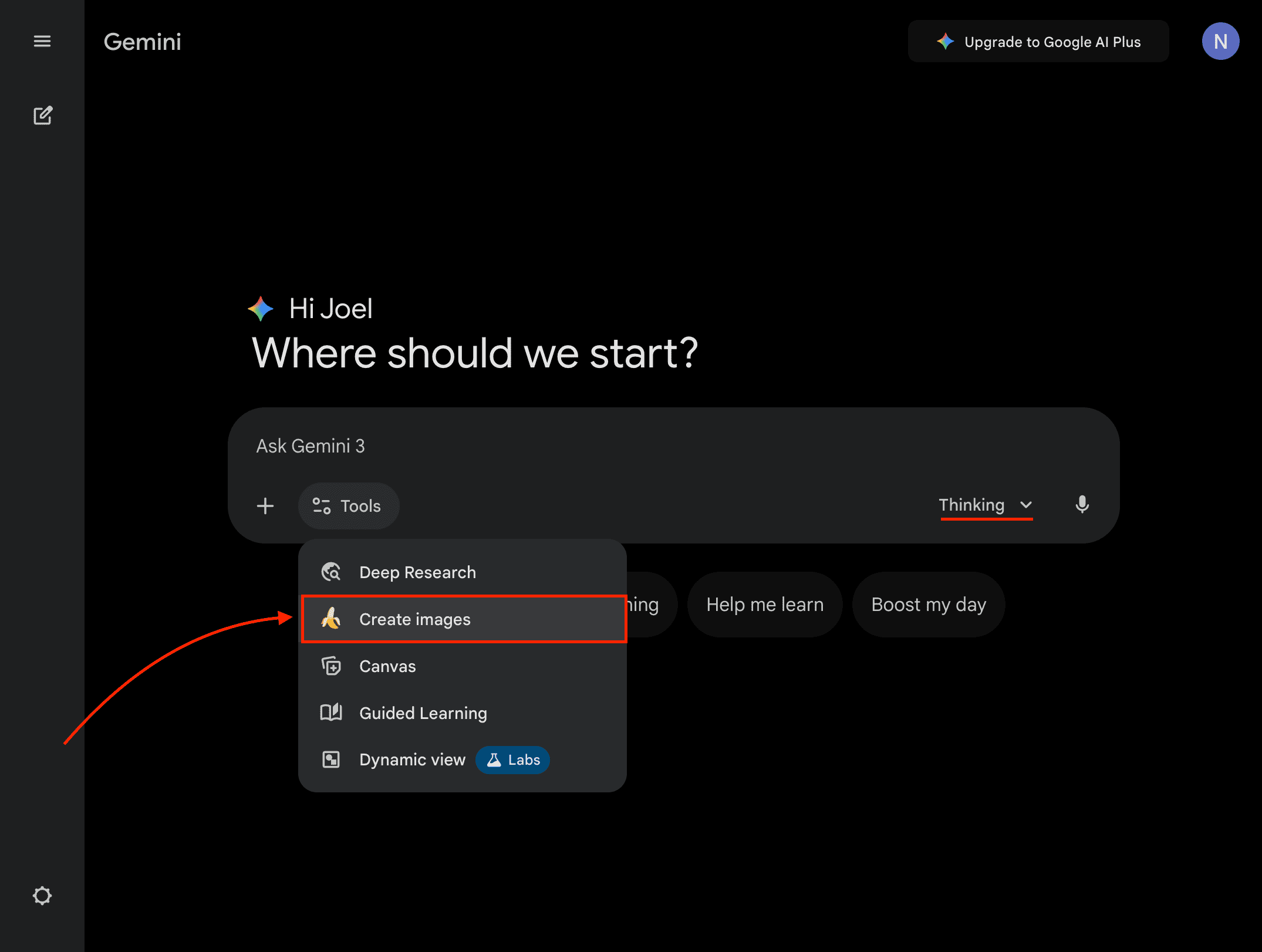
Here’s how I use it: My Leadership in Change brand uses photorealistic images with bright blue circuitry overlays (#3C9EE7), warm cinematic lighting, and accessible everyday settings. I created a detailed prompt (with Claude) describing this exact style, then saved it.
Now, when I need a new thumbnail, I paste my base prompt and describe the specific metaphor I want.
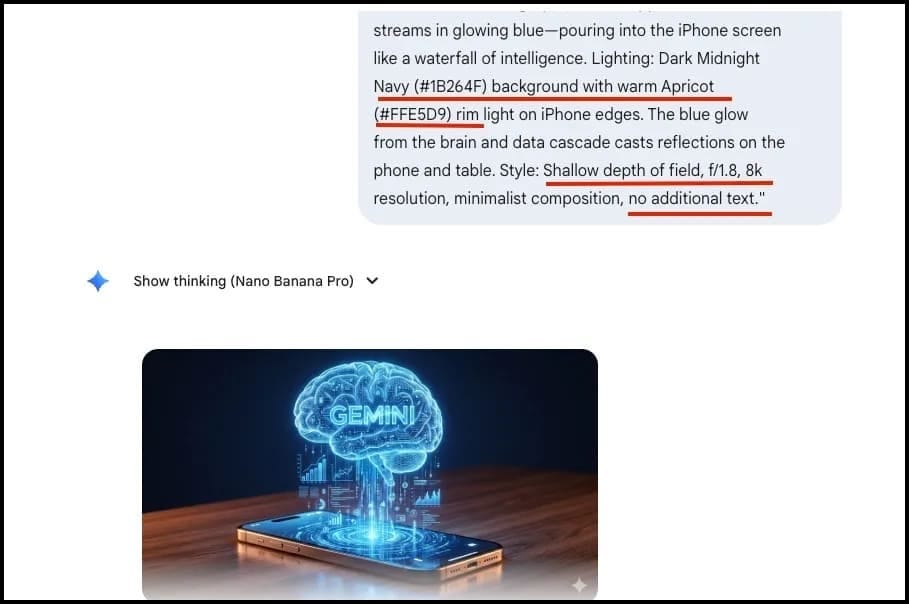
If the first result isn’t quite right, I don’t start over. I just say “make the blue circuitry more subtle” or “move the light source to the left” and Gemini adjusts while maintaining everything else.
In fact, here’s an example from a recent post that I wrote on Gemini being integrated into the Apple ecosystem. As you can see, all the underlined pieces don’t change from image to image. They are part of my brand and are automatically added for visual consistency.
NotebookLM: The Hallucination Eliminator
AI hallucinations aren’t a quirky bug. They’re a credibility destroyer.
When I first started using AI for research, I’d ask ChatGPT about leadership frameworks and it would confidently cite books that don’t exist and statistics nobody ever published.
My audience includes Fortune 500 executives and nonprofit directors. One fake citation and I lose all credibility.
NotebookLM fixed this with source control.
Here’s my exact workflow:
Before I research any topic, I upload or use the Discover Sources tool to get 5-8 trusted sources in NotebookLM. Academic papers, industry reports, books I own. Then I ask NotebookLM to analyze only those sources. It can’t hallucinate because it can only reference what I uploaded.
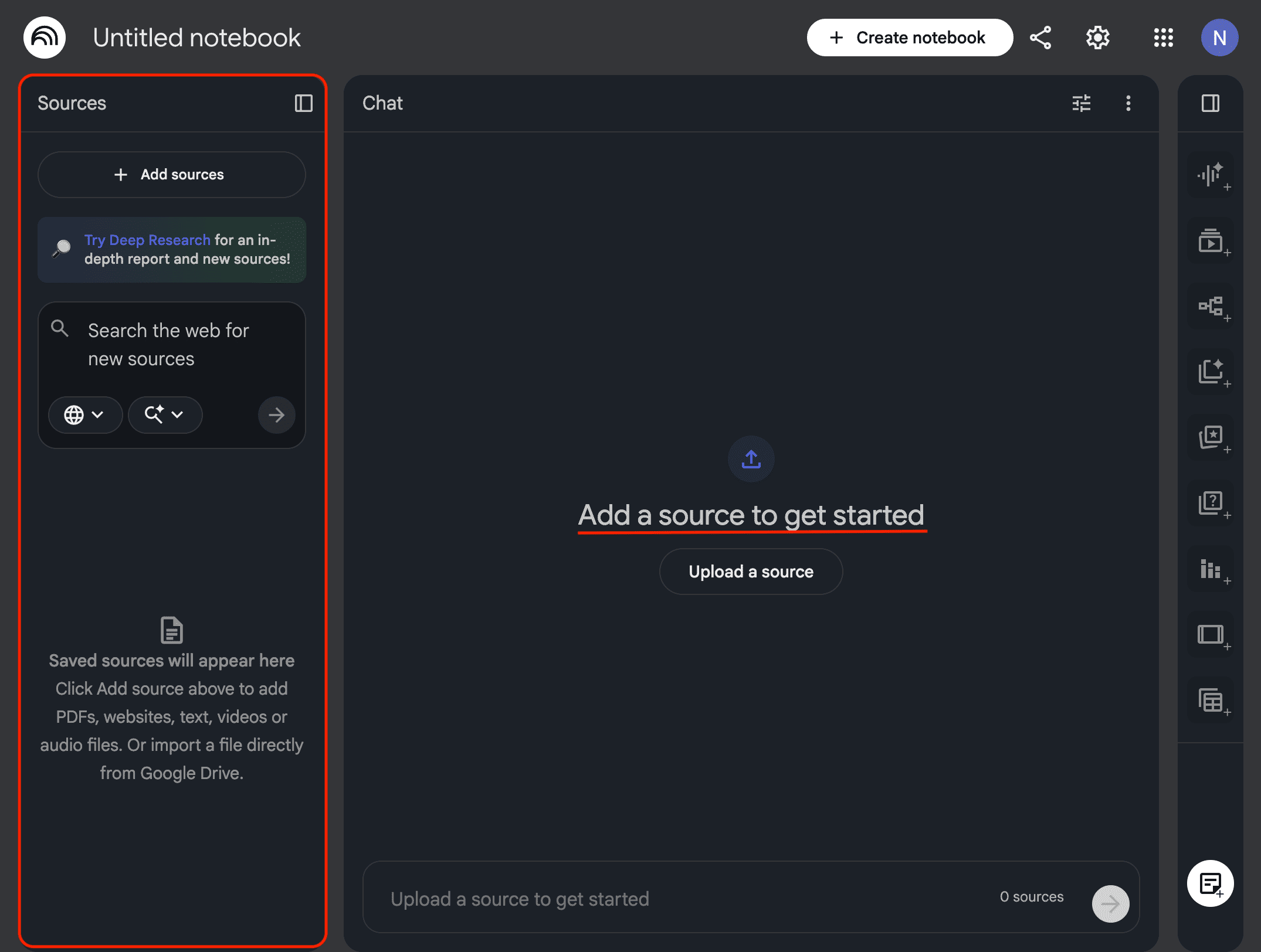
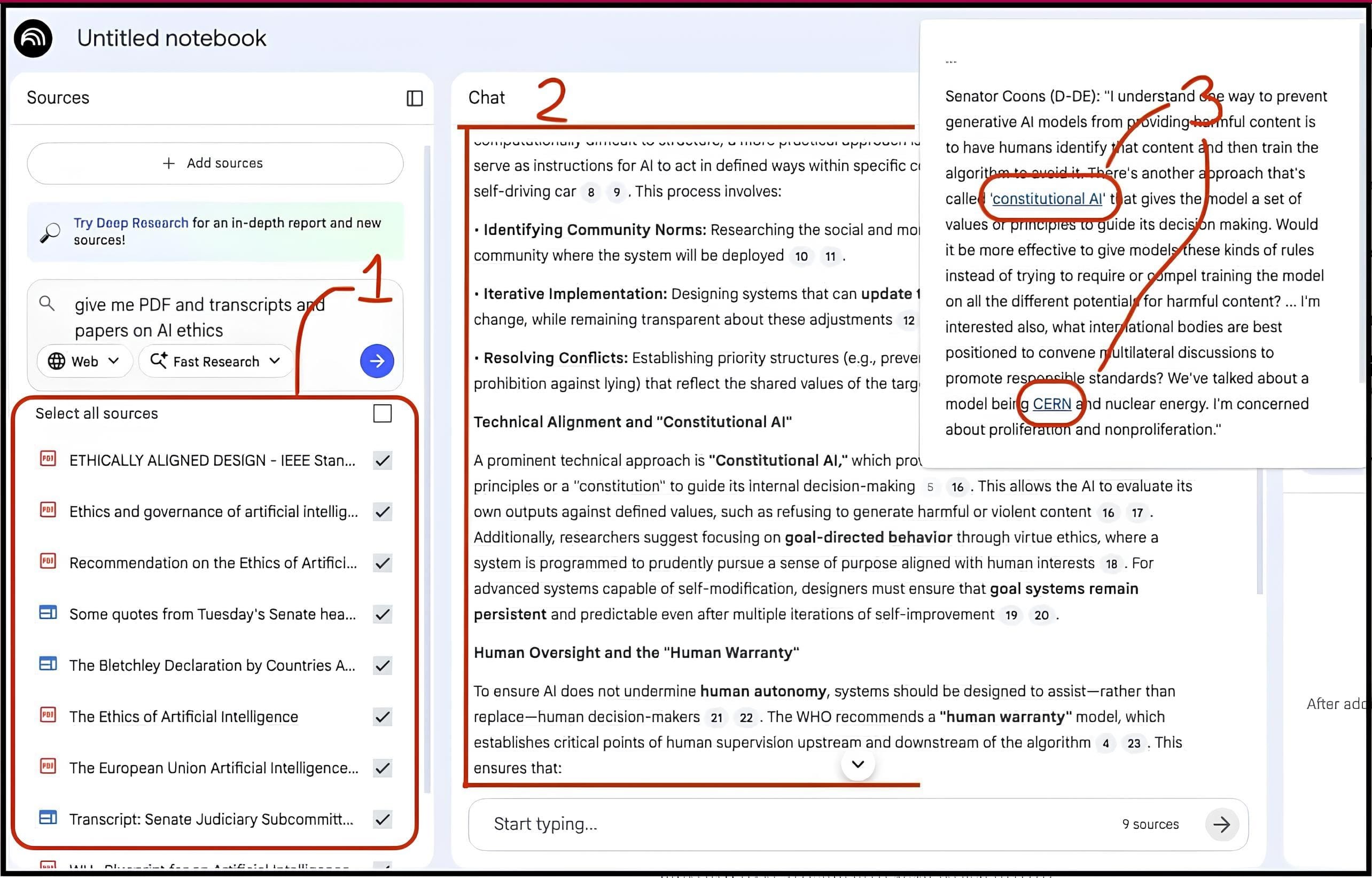
Last month, I researched AI ethics frameworks for leaders. I uploaded three papers, two tech ethics reports, and my own notes from meetings. NotebookLM synthesized insights I could cite with complete confidence because every single claim traced back to a source I had personally verified.
The result? Research that’s both faster and more accurate than doing it manually. I can ask for Stats, quotes, and know exactly where each came from.
You can see the ONLY sources being used, those I accepted
It answers my questions based on those sources
I can see what specific sources were used for each point
ChatGPT: The YouTube Research Agent
Content creators spend hours watching YOUTUBE videos, taking notes, and identifying trends. I spent 15 minutes building a ChatGPT agent that does this automatically.
Here’s what it does:
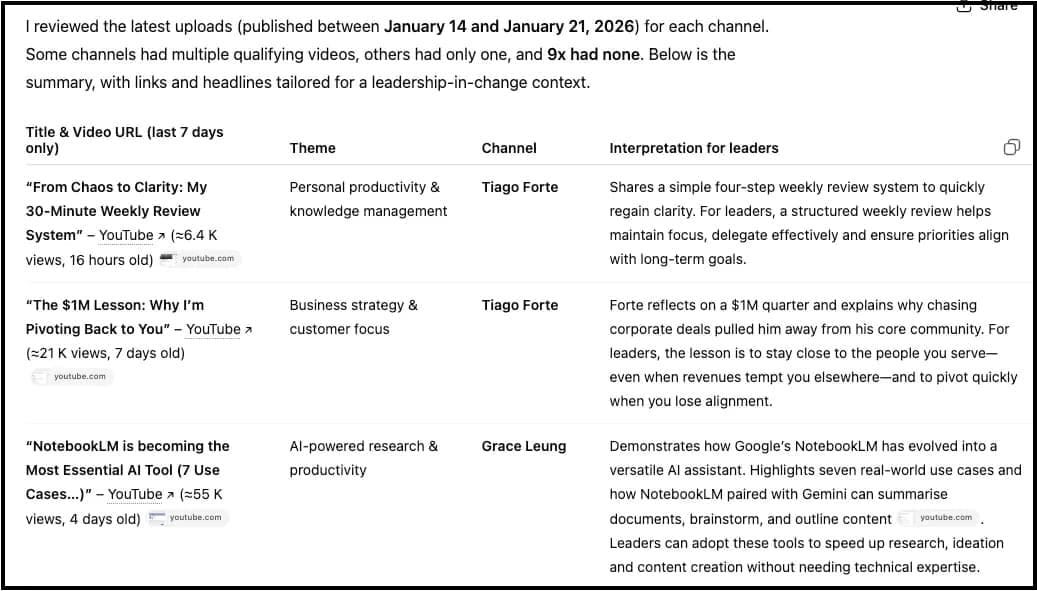
I give my agent a topic and 5-10 YouTube channel names. It visits each channel, pulls recent video titles and descriptions, identifies common themes, finds gaps nobody’s covering, and outputs a research brief with links to specific videos worth watching.
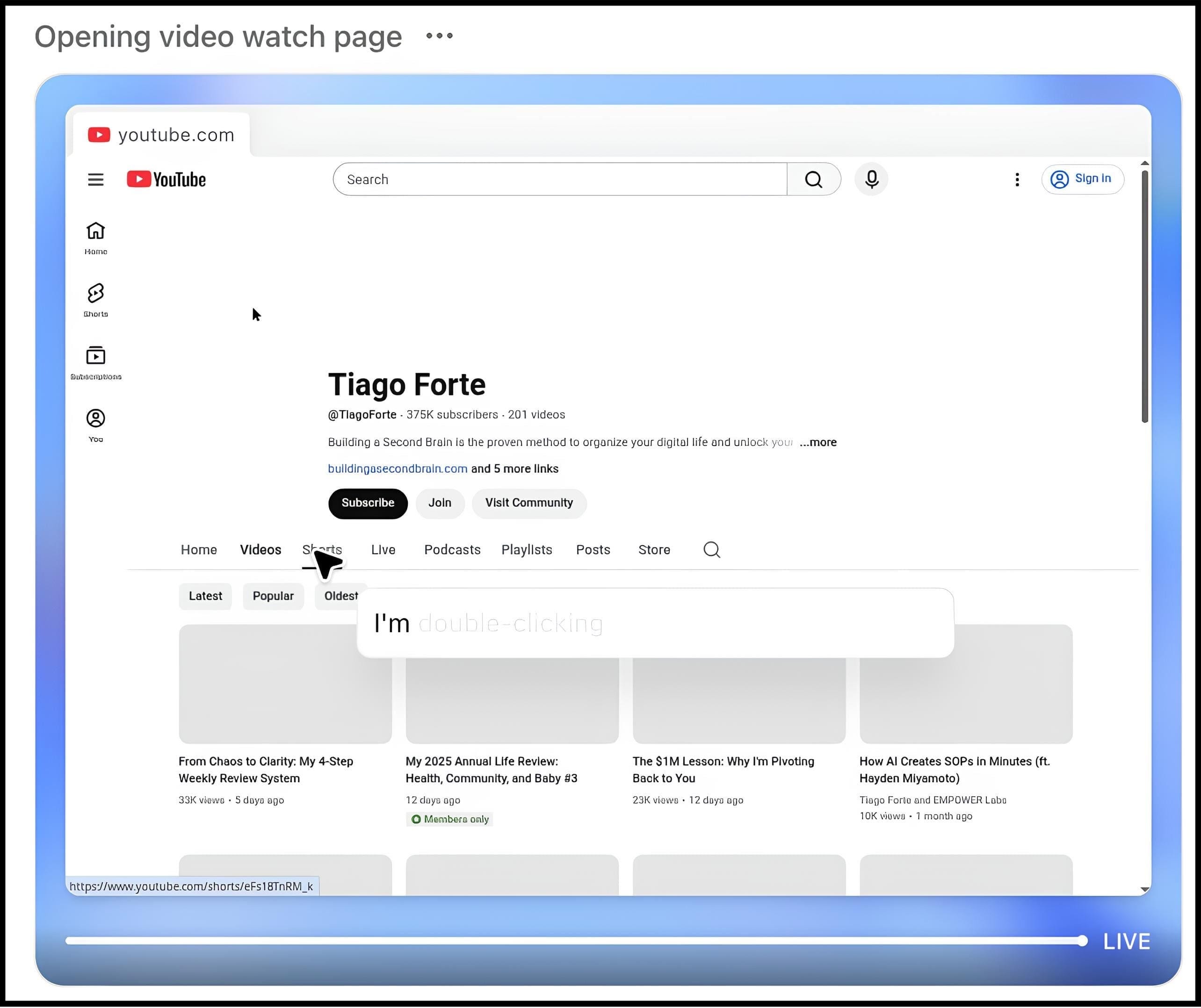
Last week, I asked it to research “AI leadership content from the past 30 days” across 8 competitor channels. It ran for 15 minutes while I made coffee. When I came back, I had a complete brief showing:
12 trending topics in AI leadership
6 angles nobody had covered yet
4 videos worth watching in detail (with timestamps)
3 content gaps I could fill
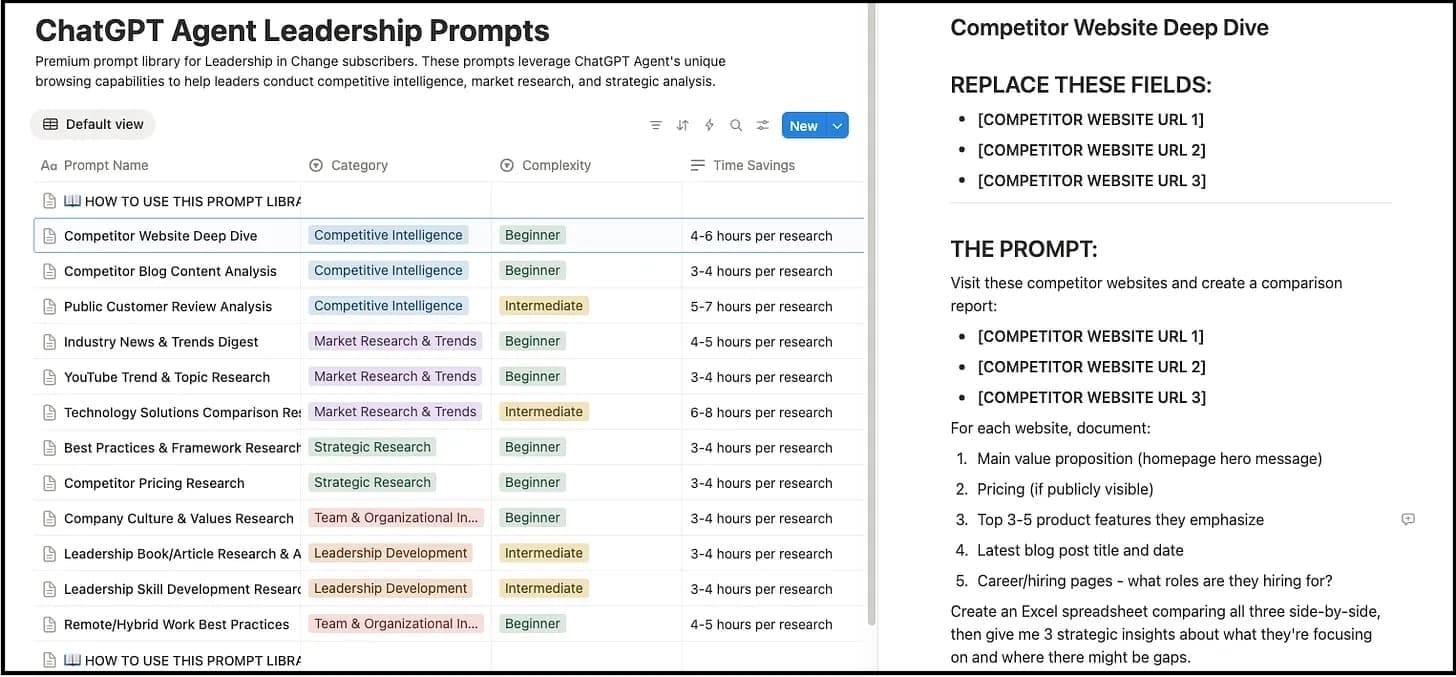
This single agent saves me 5-8 hours every week. I’ve built 25 different agents like this for various tasks.
For Leadership in Change Premium members, I’ve documented all 25 agents in a prompt dashboard you can copy and customize. It’s the single resource that’s saved my members the most time.
Claude: The Fact-Checking Partner
I publish twice a week.
Every article includes statistics, quotes, and specific claims. Before I discovered Claude’s Chrome extension, I fact-checked manually by visiting each source, taking screenshots, comparing my claims to the original text.
It took 45-60 minutes per article. Now, Claude does it in 8 minutes.
DISCLAIMER: I still do a manual check of every source to verify, but Claude does the first check.
For a full breakdown of Claude on Chrome, read here.
Here’s my workflow:
I open the draft article on Chrome and ask Claude on Chrome to “Visit every source I cited, screenshot the relevant sections, and flag any discrepancies between what I wrote and what the sources actually say”.
It presents a plan, I confirm, and it goes into action!
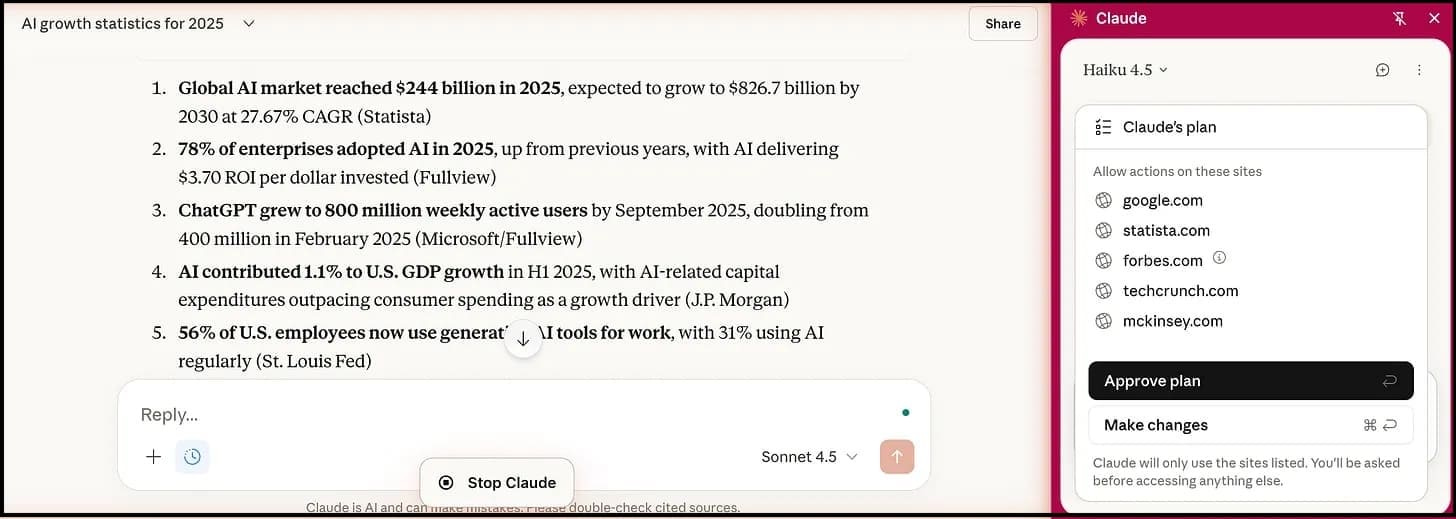
And here are the results…
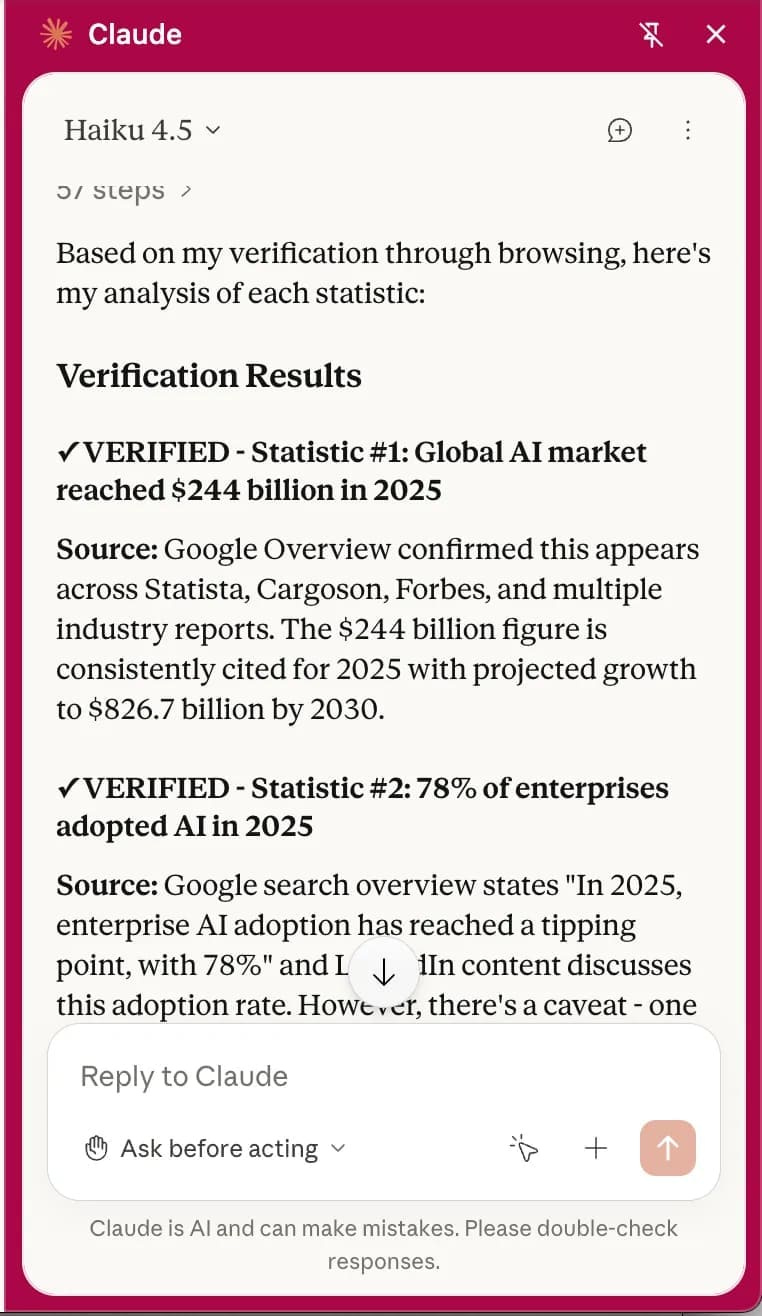
Claude opens each URL, reads the content, captures screenshots, and returns a report showing:
Claims that match the sources exactly ✓
Claims that need clarification (I slightly misrepresented the data)
Sources that are outdated or broken
Specific quotes with context to verify I’m not cherry-picking
This is the difference between “AI as assistant” and “AI as system.” Claude isn’t just helping me work faster. It’s preventing credibility-destroying mistakes I wouldn’t catch on my own.
Ready to implement and build with AI? Join Premium for $1,345+ in tools and systems at $39/yr. Start here | Looking for 1-on-1 coaching or a private knowledge hub build? Book a free call.
If You Only Remember This:
Perplexity’s Social Search reveals what your audience actually wants - not what SEO-optimized posts claim they want
Gemini’s iterative editing maintains brand consistency across unlimited image variations without starting over
NotebookLM’s source control eliminates hallucinations by forcing AI to only reference documents you’ve verified
ChatGPT agents automate repetitive research tasks - my YouTube research agent alone saves 5-8 hours weekly
“The breakthrough wasn’t finding better tools. It was discovering that each tool has one specific superpower.”
What’s one repetitive task in your content workflow that you could automate this week?
 | A guest post by
|